Keysight's Eggplant Studio is an integrated development environment (IDE) extension for Visual Studio Code designed to write, debug, and run automated tests.
PROJECT OVERVIEW
The brief was to redesign Eggplant Functional (EPF) as an integrated VS Code extension, Eggplant Studio, that lowers the barrier to entry for new testers while preserving the SenseTalk scripting and image-based testing workflows experienced users already rely on.
Before → After
What changed: EPF’s standalone desktop app became a VS Code extension (plus a browser-hosted option), with a guided onboarding walkthrough and a built-in Virtual Assistant replacing the old cold-start experience.
What stayed the same: SenseTalk scripting and image-based testing were left untouched, so an experienced EPF user’s skills carry over directly to Studio.
What stayed the same: SenseTalk scripting and image-based testing were left untouched, so an experienced EPF user’s skills carry over directly to Studio.
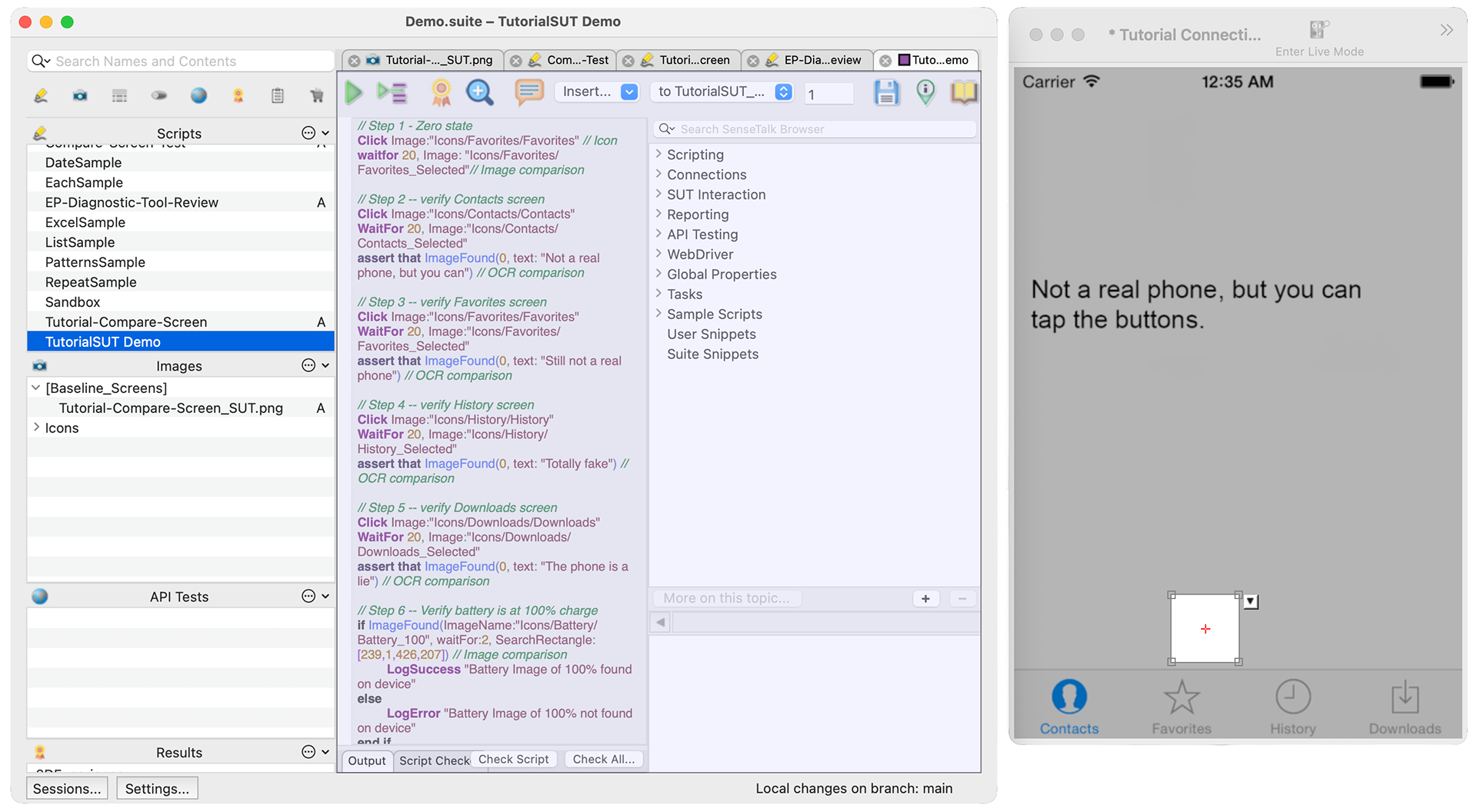
EPF's standalone Script Editor
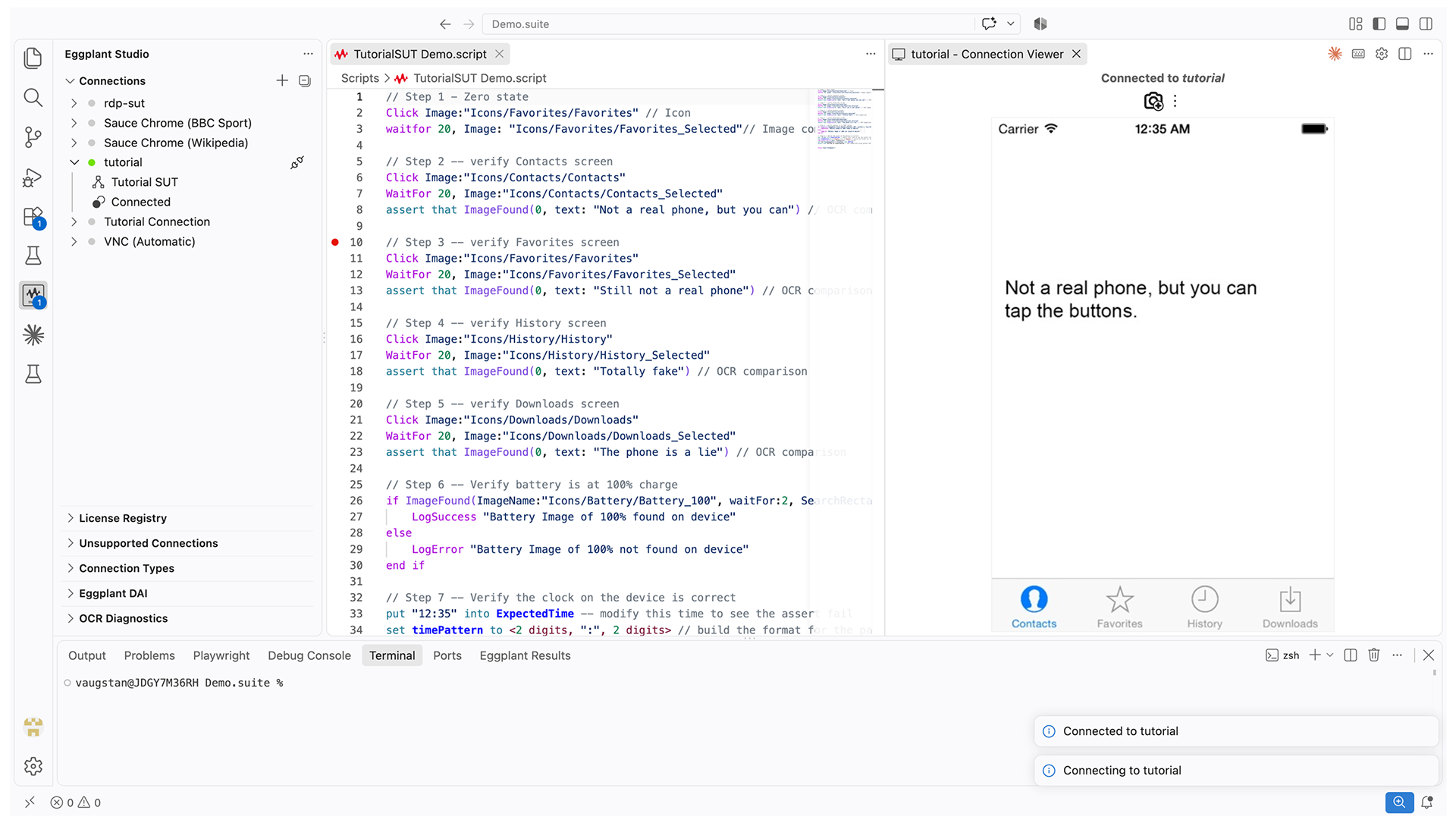
Eggplant Studio's VS Code extension
TimeLINE
2 years
ROLE
UX Researcher & UX Designer
• Contextual inquiry, heuristic evaluation, personas, journey mapping, usability testing
• Information architecture, wireframes, UI design, high-fidelity prototyping, iterative design
• Contextual inquiry, heuristic evaluation, personas, journey mapping, usability testing
• Information architecture, wireframes, UI design, high-fidelity prototyping, iterative design
TOOLS
Figma, Miro, Microsoft Visual Studio.
DESIGN PROCESS & STRATEGY
1. Contextual Inquiry & Heuristic Evaluation: Gathered input from existing EPF users, support tickets, and the product team to understand where the standalone desktop app created friction, then audited Eggplant Functional's interface against usability heuristics to pinpoint exactly where new testers stalled during onboarding.
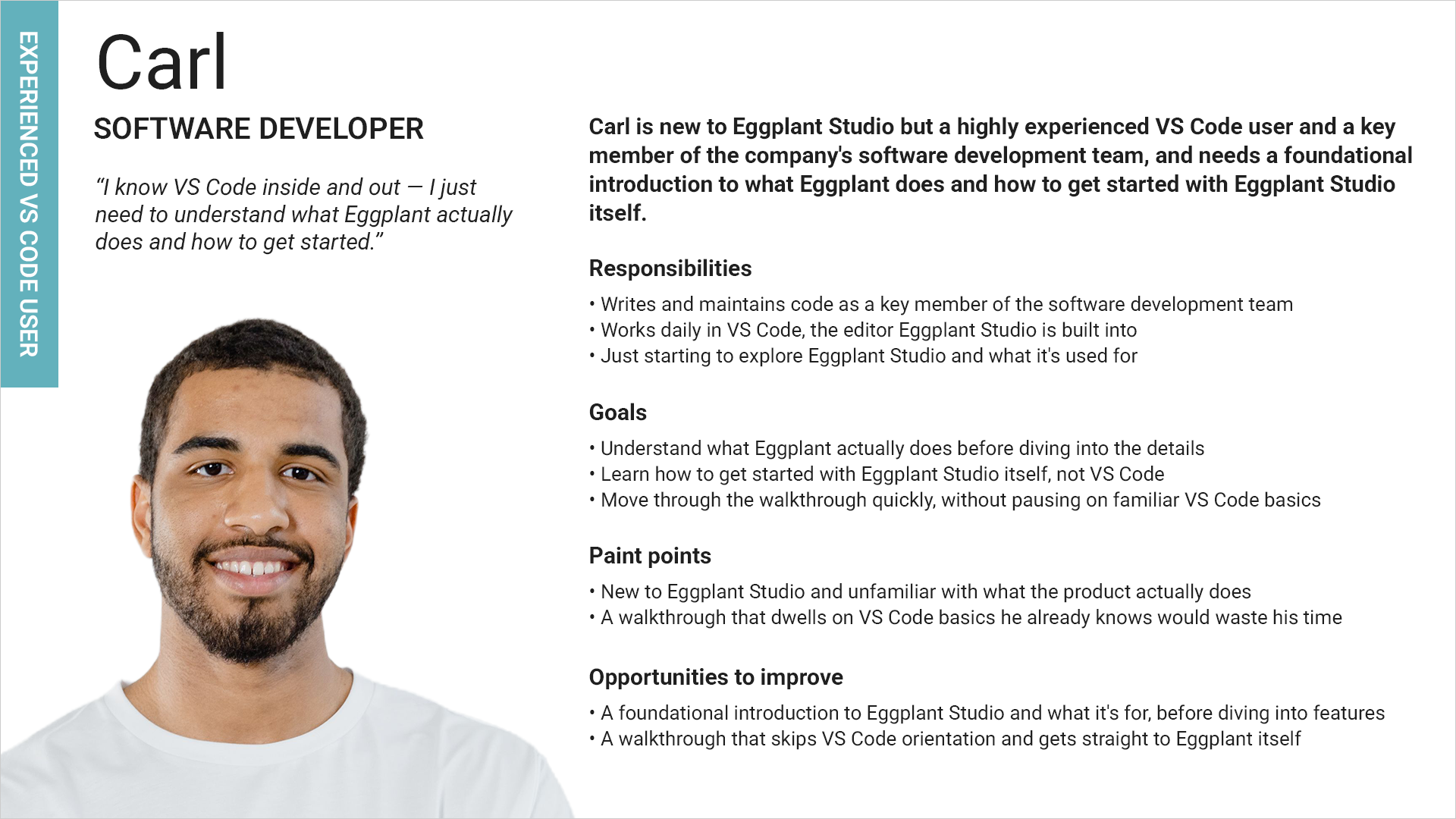
2. Persona Creation & Journey Mapping: Built personas around three distinct entry points into the tool: a manual tester new to automation, an experienced EPF user migrating existing workflows, and a developer already fluent in VS Code, then mapped each one's path from first install through running a test to flag where jargon or unfamiliar tooling caused drop-off.
3. Information Architecture & Wireframing: Restructured onboarding around a guided, seven-step walkthrough, suite management, SUT connection, script editing, image capture, image optimization, test execution, and code reuse, replacing the single-screen cold start of the standalone app, and wireframed how each step would surface inside the VS Code panel layout.
4. High-Fidelity UI Design: Designed the extension's panels, walkthrough screens, and Virtual Assistant prompts to sit naturally within VS Code's existing visual language, so Eggplant Studio would feel like a native extension rather than a ported version of the old standalone app.
5. Usability Testing & Iterative Design: Tested the walkthrough and script-editing flow with testers at each experience level, from someone opening VS Code for the first time to an EPF veteran migrating scripts, and iterated the step order, the Virtual Assistant's prompts, and the image-capture flow based on where testers hesitated or asked for help.
6. Handoff: Delivered final specs and annotated flows to the development team, ensuring the shipped extension matched the design intent across onboarding, script authoring, image capture, and test execution.
KEY RESULTS & IMPACT
Eggplant Studio adoption stands at ~22% among Eggplant Functional users, against a target of 35% market adoption as a backward-compatible and compelling replacement for EPF, native to VS Code. Moving script authoring into VS Code's guided walkthrough removed the cold start of learning a separate, standalone application, letting new testers reach their first passing test faster. Experienced EPF users carried their SenseTalk scripting and image-based testing skills over directly, with no relearning required, and developers already fluent in VS Code adopted the extension quickly since its panels and workflow matched tools they used daily.
Personas
Three personas anchored the redesign, each representing a different path from EPF into Studio: a manual tester new to automation, an experienced EPF user migrating workflows, and a developer already fluent in VS Code.
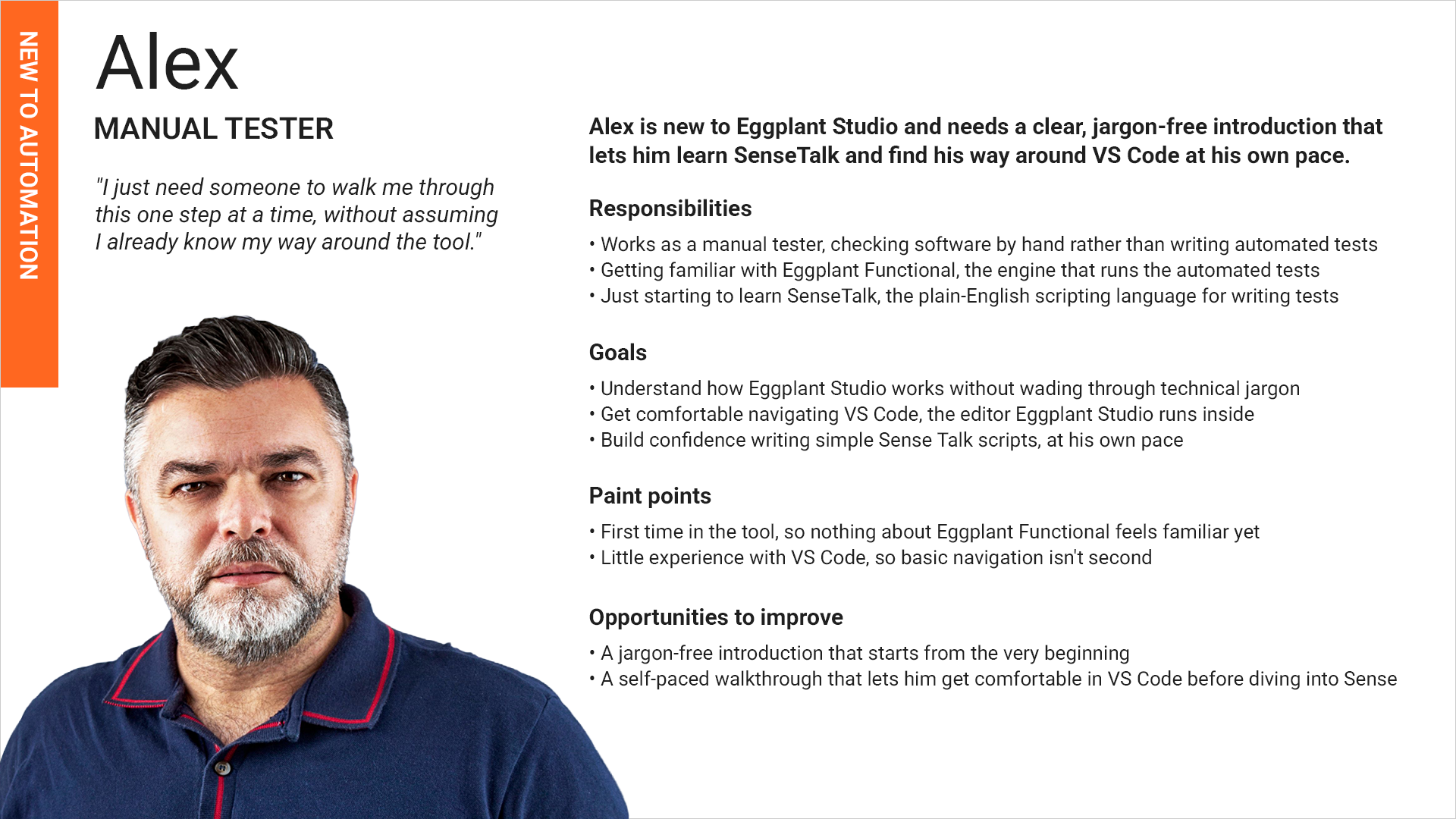
Alex, the manual tester learning test automation for the first time
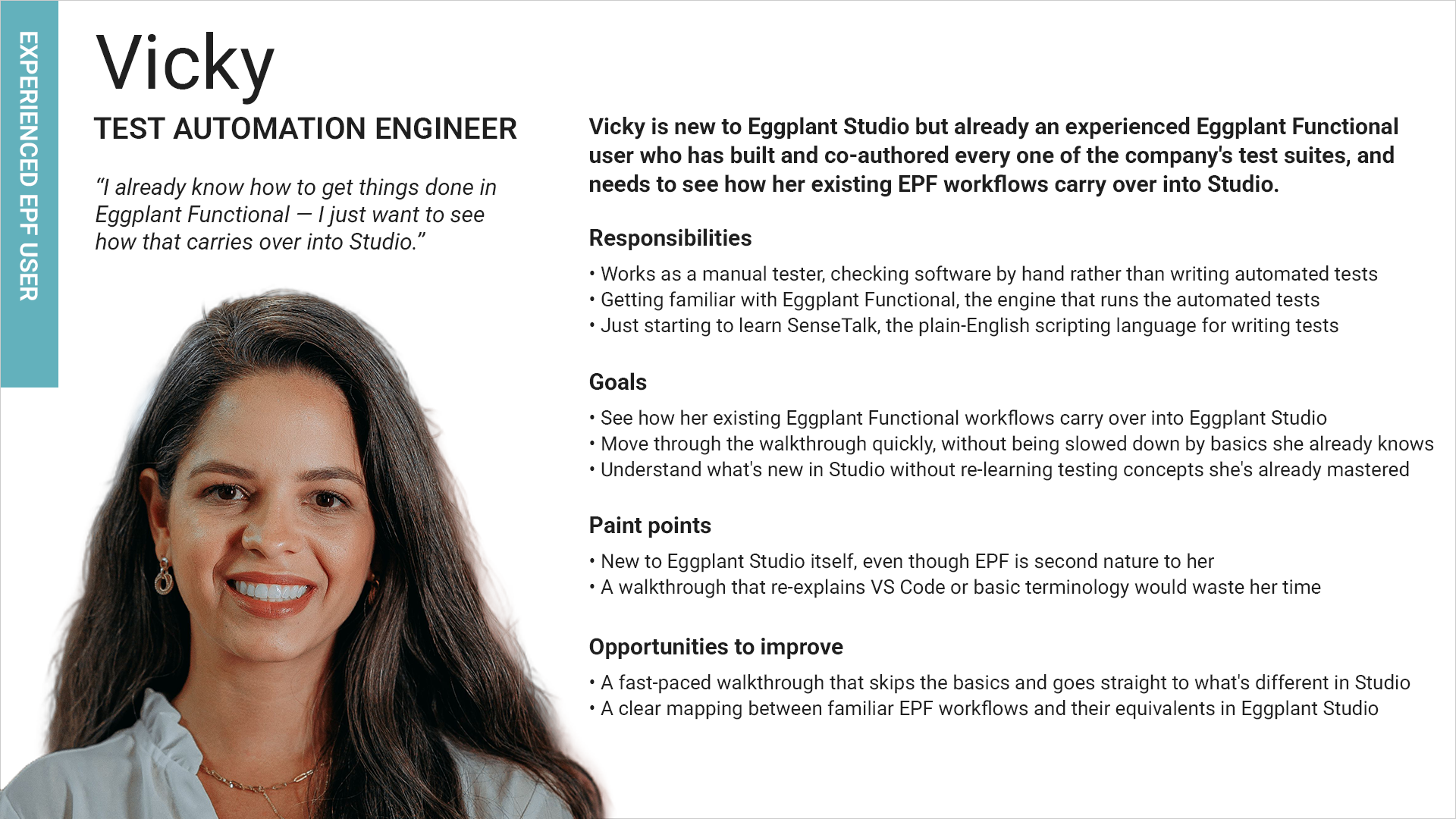
Vicky, the automation engineer bringing her existing Eggplant Functional workflows into Studio