As Causeway moved from its legacy desktop TMS (Traffic Management System) toward a new web-based platform in 2015, existing workflows needed to be reimagined for the browser — starting with Point of Interest uploads.
PROJECT OVERVIEW
Uploading a Point of Interest (POI) into Causeway Technologies' Telematics platform was buried several clicks deep. Users needed a faster way to bulk-import POIs from a file rather than entering them one at a time, and the existing flow gave little feedback when an upload failed — a user could submit a file with bad data (an unrecognized postcode, an invalid POI group) and get no clear path to fixing it.
ROLE
UX/UI Designer
I led the wireframing and hi-fi design, working alongside a developer who scoped feasibility.
TOOLS
Balsamiq, Adobe Photoshop
THE OUTCOME
The flow was handed off to development and shipped in 2015.
​​​​​​​
Low-fidelity (Balsamiq)
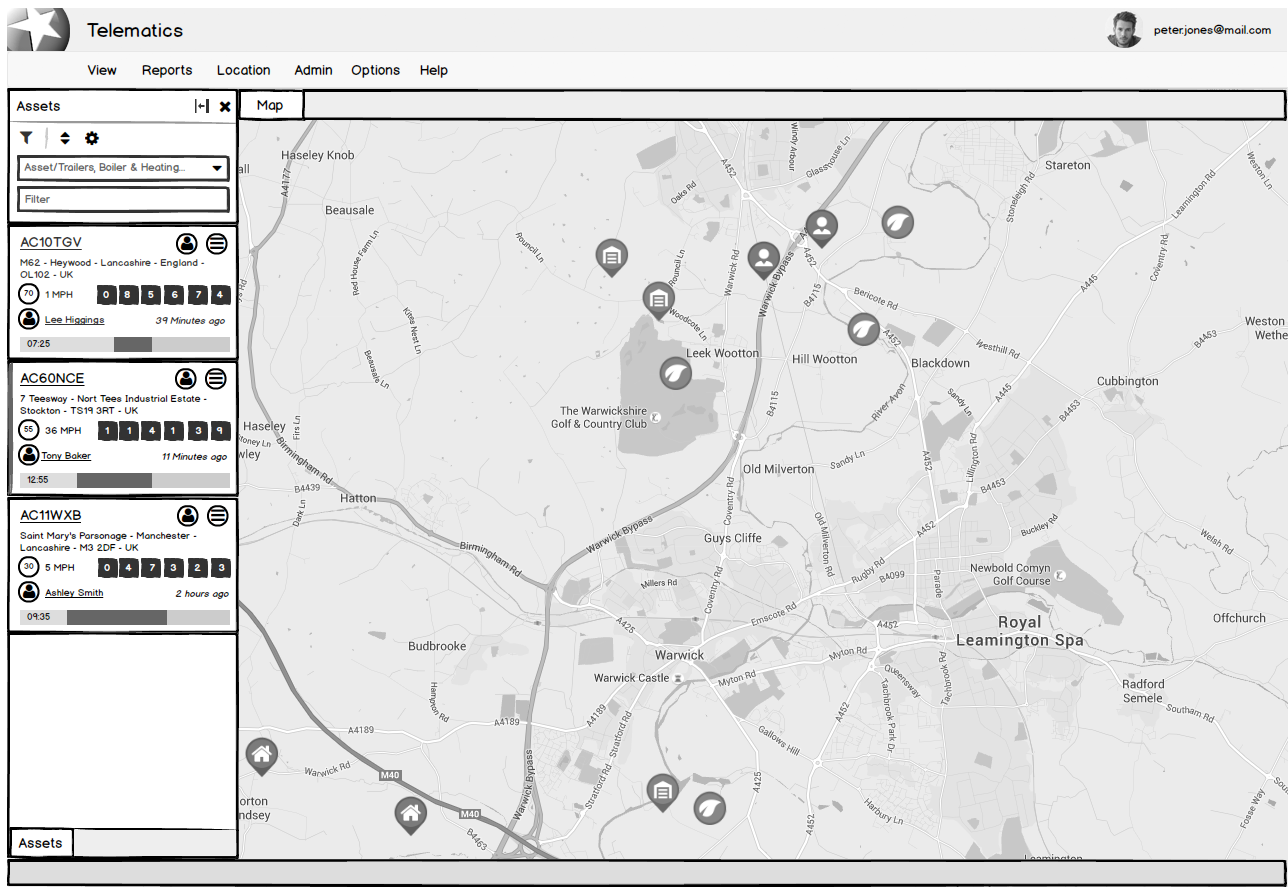
Low-fidelity wireframe of the Telematics desktop app showing an asset list sidebar and a map view with multiple vehicle and location markers around Warwick and Leamington Spa

The default Assets and Map view in Telematics, before any Points of Interest have been added.
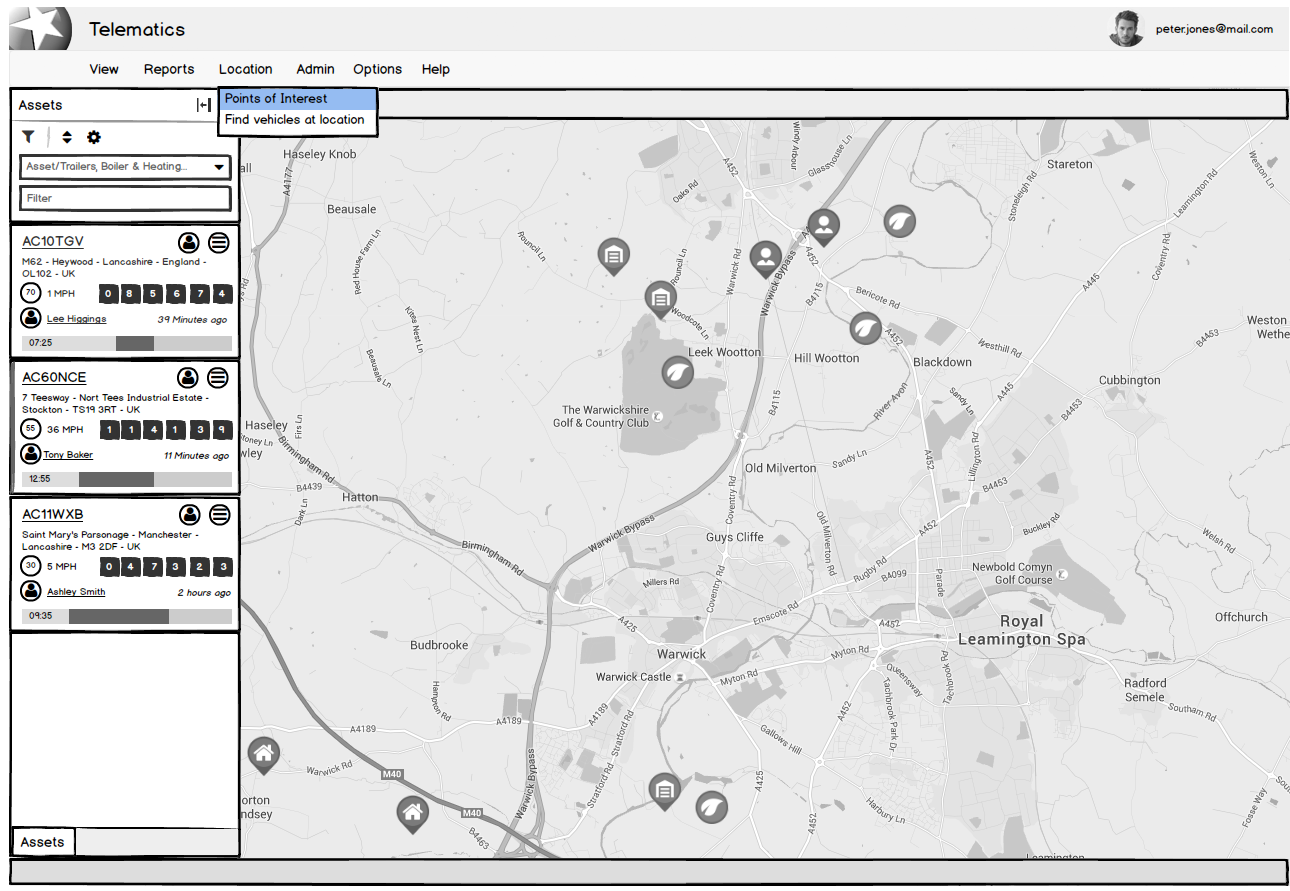
Low-fidelity wireframe of the Telematics app with the Location menu open, showing 'Points of Interest' highlighted above 'Find vehicles at location.

Triggering the Points of Interest upload from the Location menu.
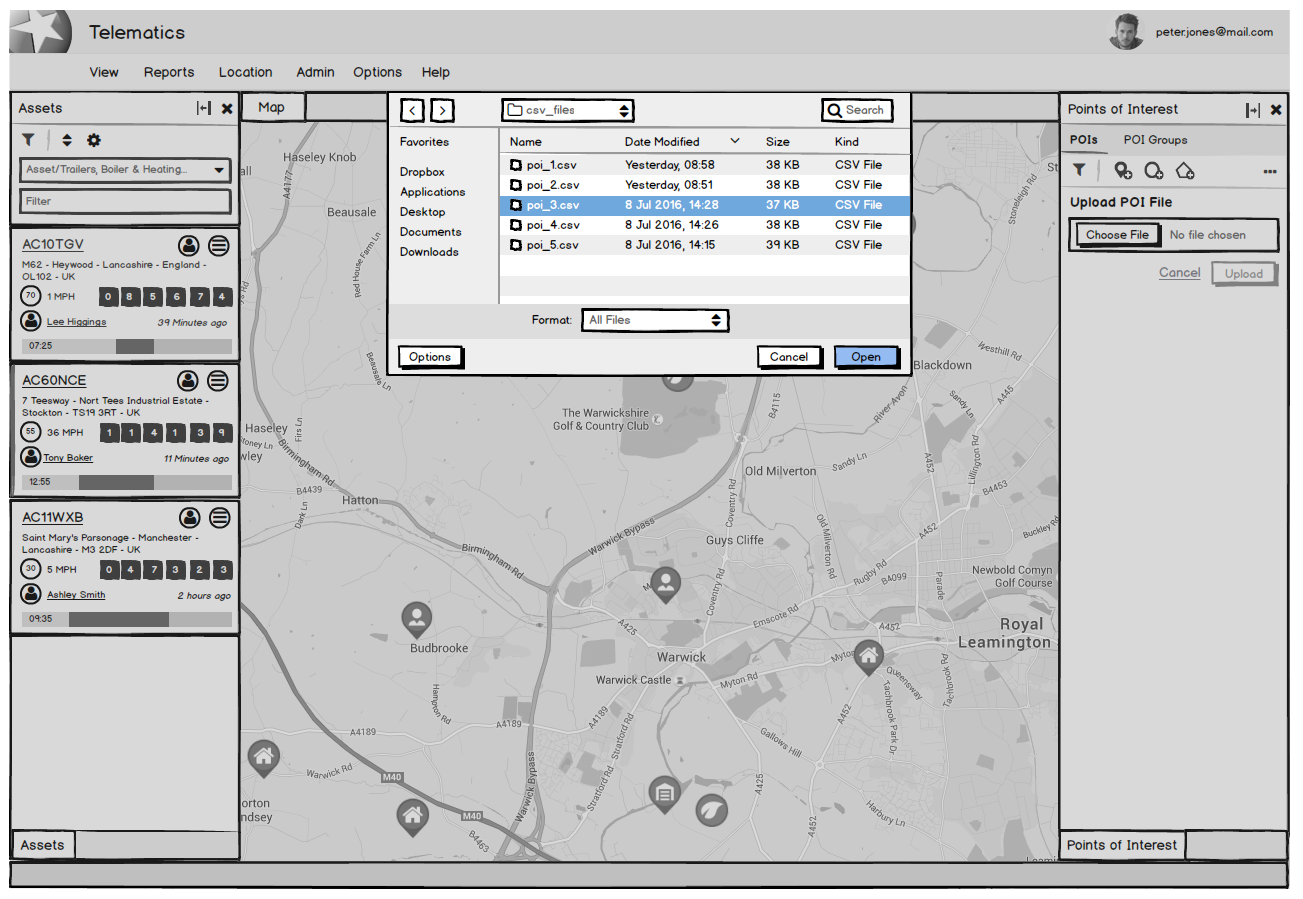
Low-fidelity wireframe of the Telematics app with a file browser open over the map, showing a list of CSV files and 'poi_3.csv' selected. The Points of Interest panel is visible on the right with an Upload POI File field

Choosing a CSV file to upload via the new Points of Interest panel.
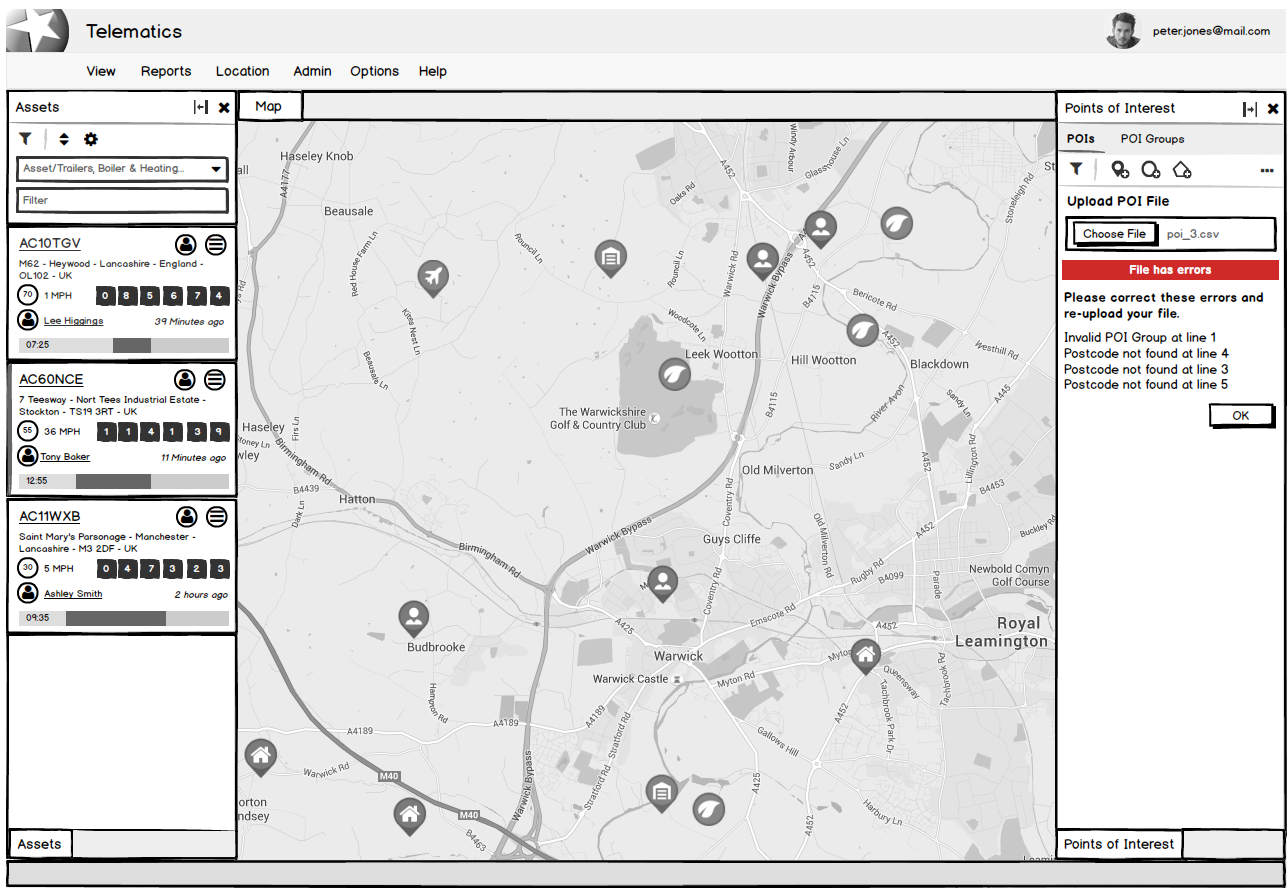
Designing for failure: if a file has bad data, the panel flags exactly which rows are wrong — an invalid POI group and unrecognized postcodes — so the user knows precisely what to fix before re-uploading, rather than getting a generic error

Validation errors are surfaced line-by-line, so the user knows exactly what to fix before re-uploading.
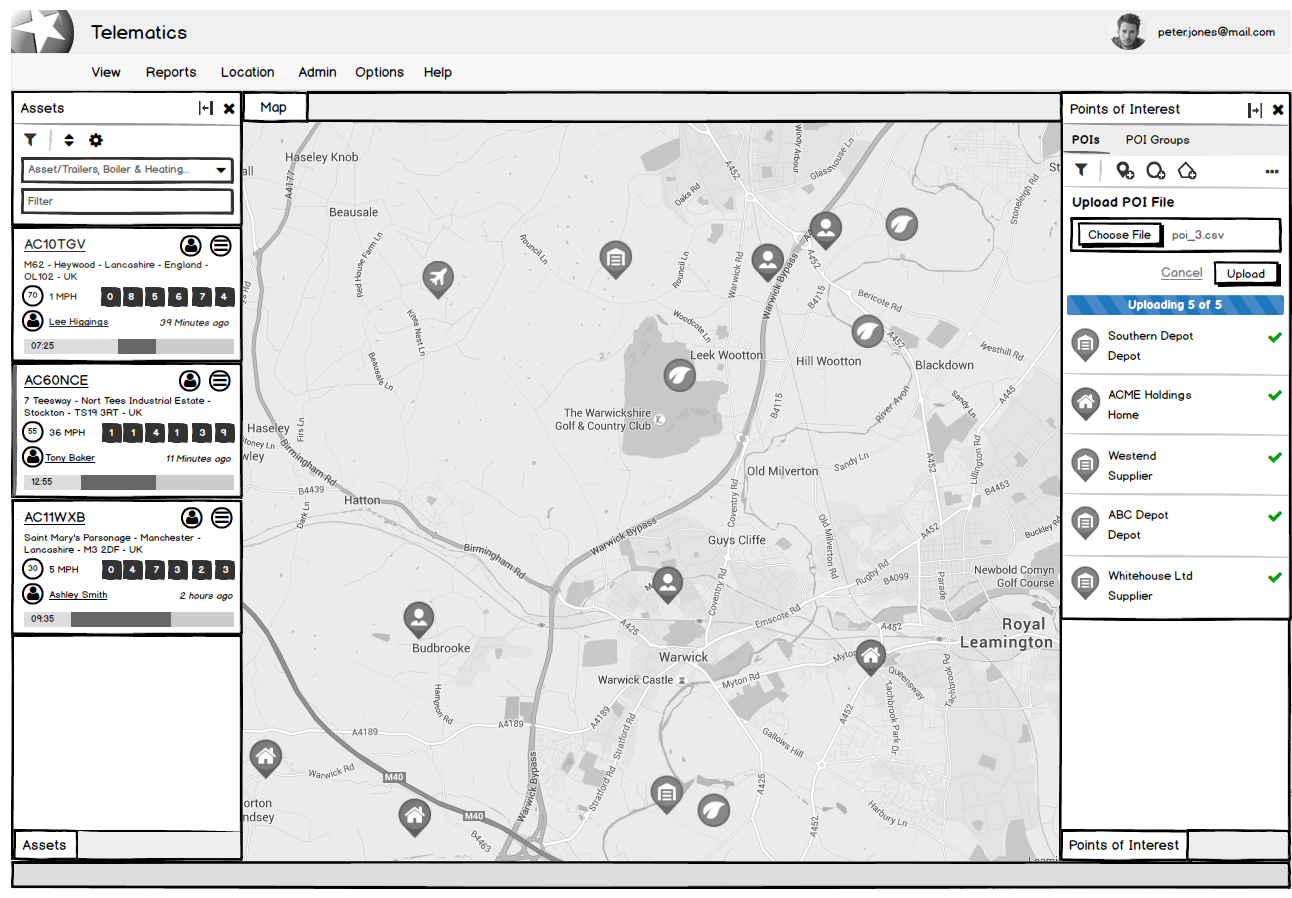
Low-fidelity wireframe of the Telematics app showing a completed upload of poi_3.csv, with five Points of Interest listed — Southern Depot, ACME Holdings, Westend, ABC Depot, and Whitehouse Ltd — each marked with a green checkmark.

The corrected file uploads successfully, with all five Points of Interest confirmed.
Hi-fidelity (Photoshop)
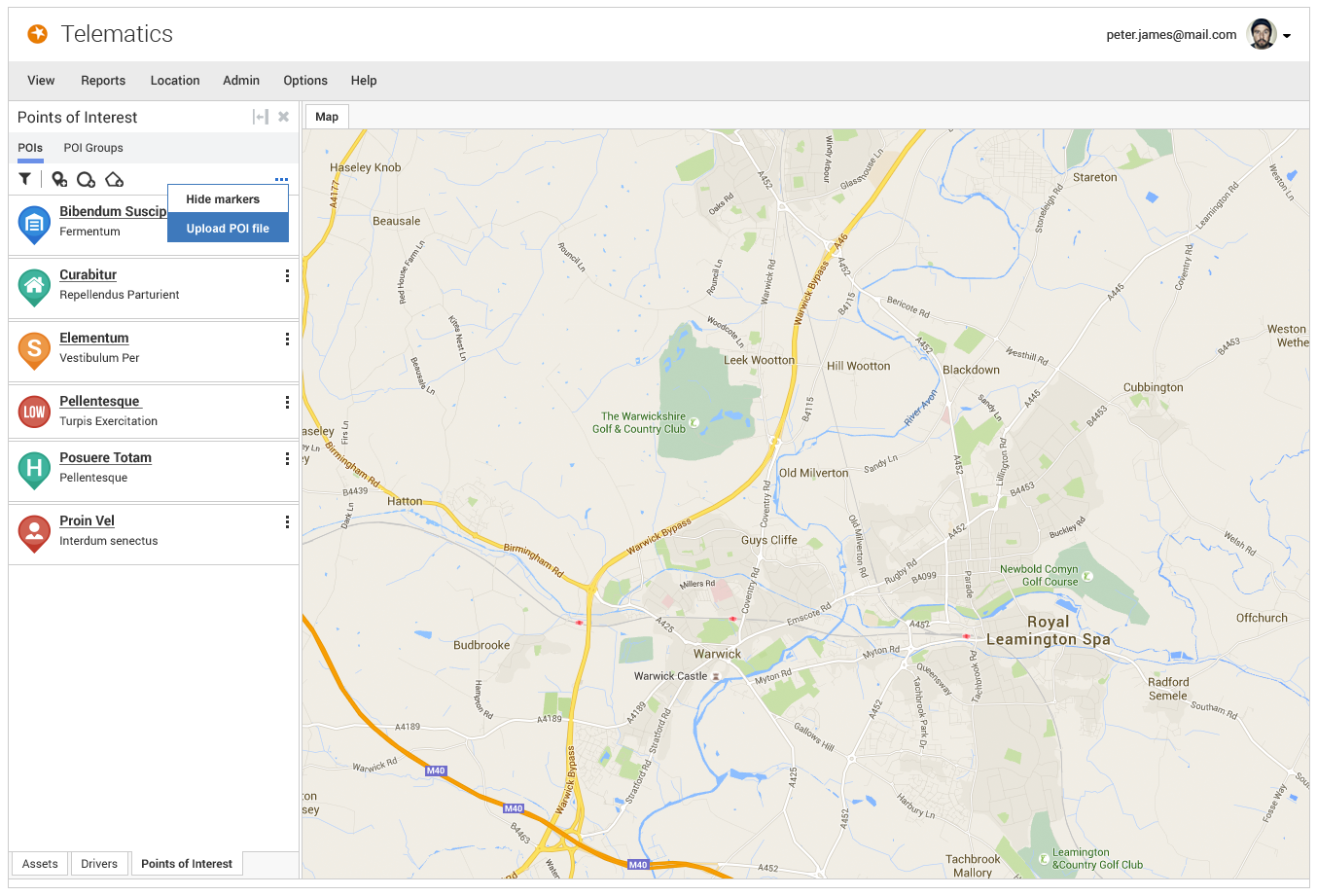
Hi-fidelity mockup of the Telematics web app showing the Points of Interest panel with six existing entries, a dropdown menu open with 'Hide markers' and 'Upload POI file' options, and a map of the Warwick and Leamington Spa area.

The hi-fidelity Points of Interest panel, with the Upload POI file action added to the existing menu.
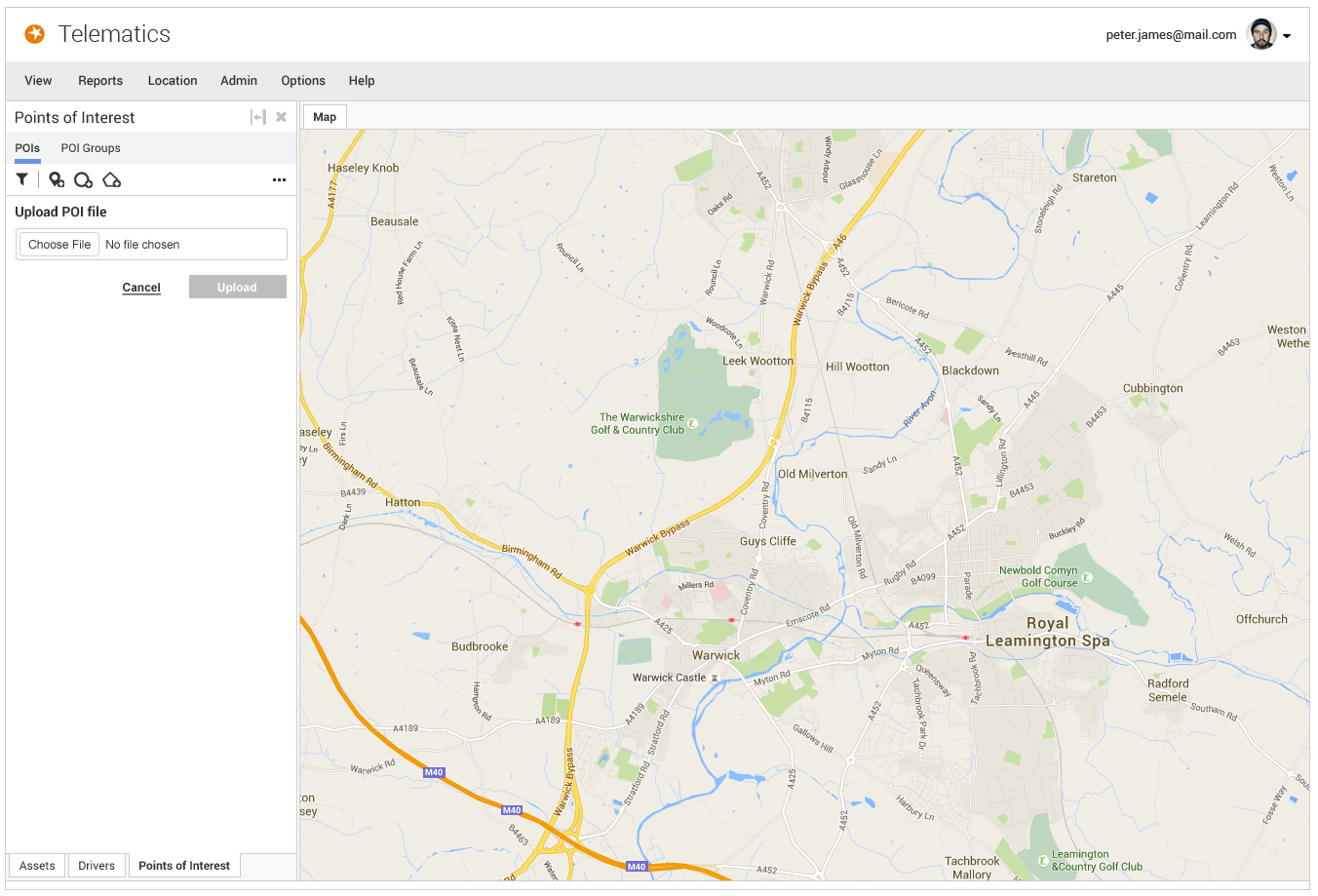
"Hi-fidelity mockup of the Telematics web app showing the Points of Interest panel with an empty Upload POI file field, a Choose File button, and disabled Upload button, alongside a map of the Warwick and Leamington Spa area.

The Upload POI file panel, awaiting a file selection.
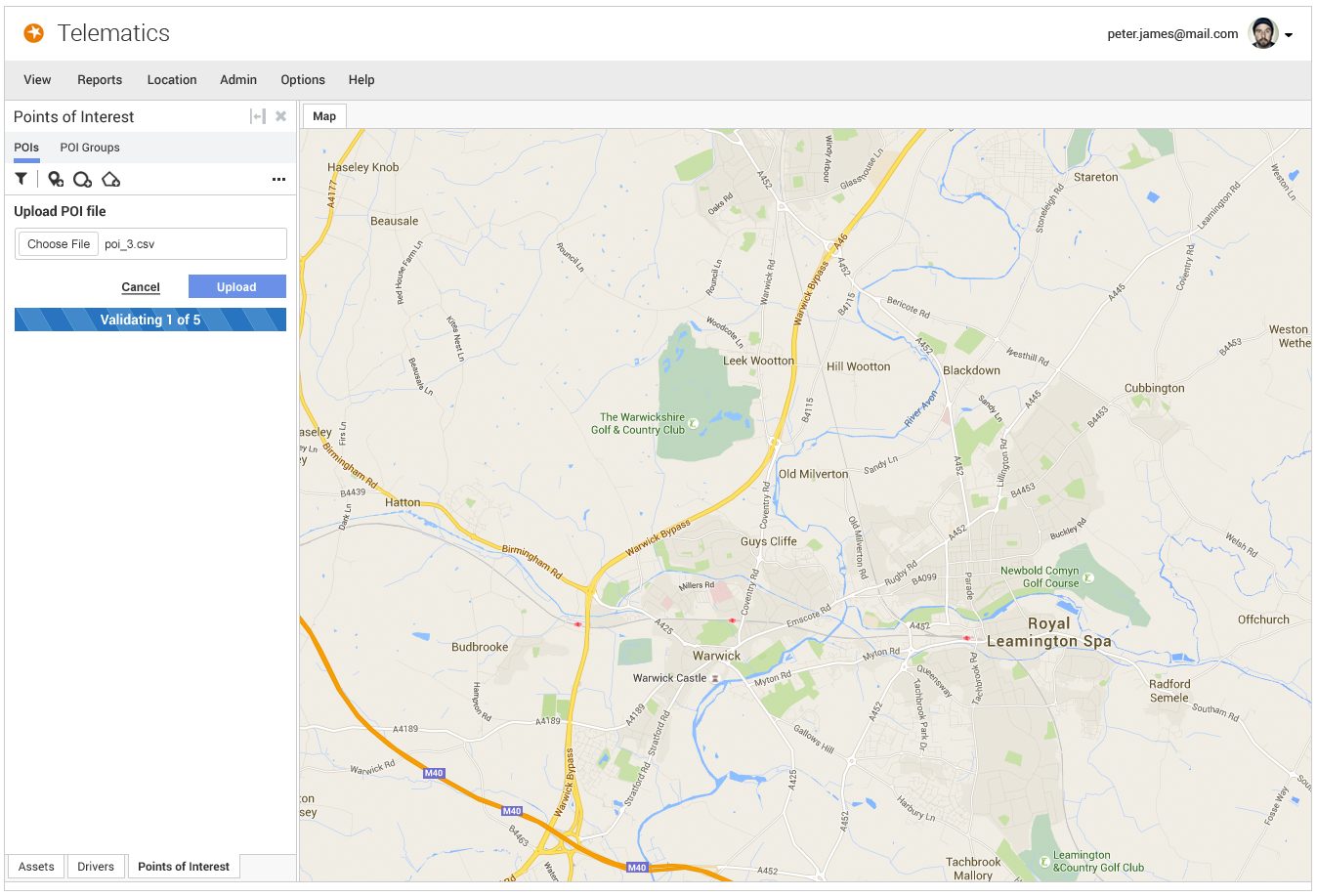
Hi-fidelity mockup of the Telematics web app showing 'poi_3.csv' selected in the Upload POI file field, with a progress bar reading 'Validating 1 of 5

Validating the uploaded file, one entry at a time.
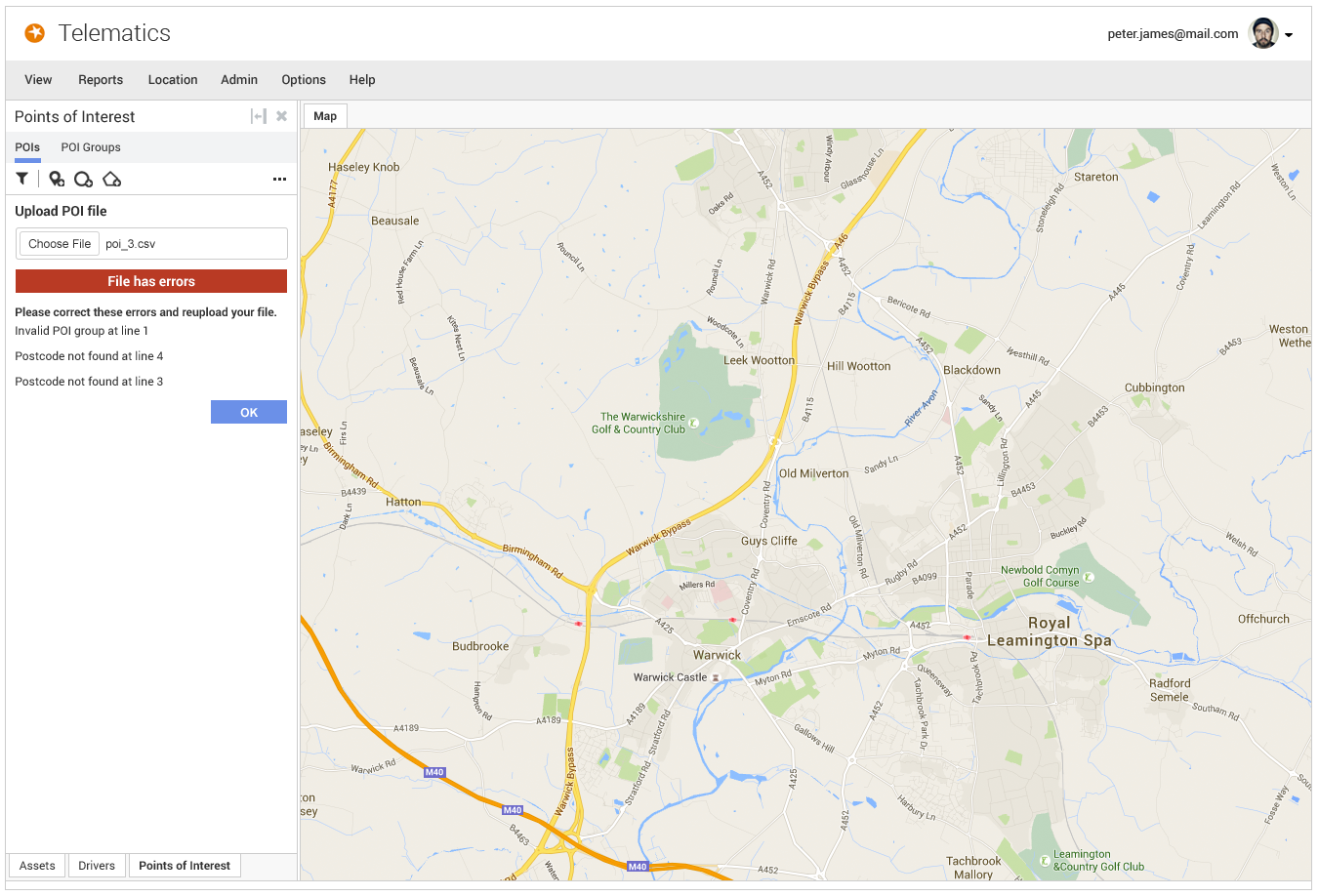
Hi-fidelity mockup of the Telematics web app showing a red 'File has errors' banner after uploading poi_3.csv, listing an invalid POI group and two postcodes not found, with an OK button to dismiss

Error handling in hi-fidelity, keeping the same line-by-line feedback from the wireframe stage.
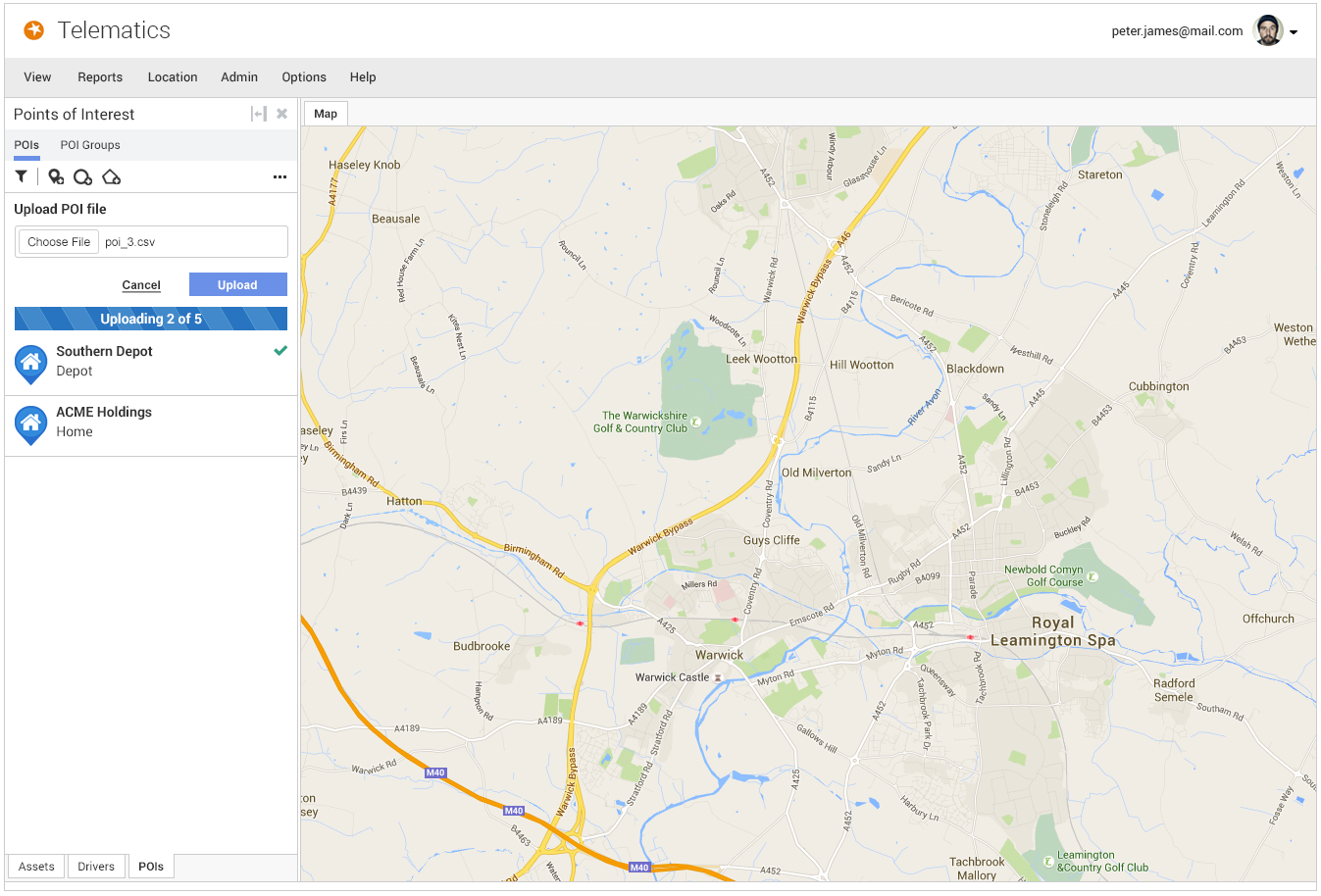
Hi-fidelity mockup of the Telematics web app showing an upload in progress, 'Uploading 2 of 5,' with Southern Depot confirmed by a green checkmark and ACME Holdings listed below

Uploading the corrected file, with each Point of Interest confirmed in turn.

Back to Top