OVERVIEW
Garrett's existing icon set lacked visual cohesion with the brand identity. Across touchpoints, icons varied inconsistently in motif, outline, fill, size, color, and stroke width, undermining a unified look.
The icons also created usability problems. Delivered only as PNGs, they couldn't scale, so quality dropped on high-definition and retina displays.
TIMELINE
9 months, directing a UI Designer through the full redesign of Garrett's existing icon set and the creation of new icon categories.
ROLE
UX Strategy Lead
Conducted in-depth research and analysis to understand user needs and market trends.
Conducted in-depth research and analysis to understand user needs and market trends.
Creative Art Direction Set the visual direction for the icon library, defining the motif, line weight, and style rules the final designs needed to meet.
KEY RESULTS & IMPACT
The redesigned icon system comes in three sizes: 128px for Illustration, 64px for Application, and 16px for Functional use, replacing the old single PNG format. All icons are available as SVGs through Garrett's Digital Asset Manager, giving teams scalable icons that stay sharp on any screen, whenever they need them.
Rolled out across Garrett's platforms, the new system replaced inconsistent styles with one unified visual language, strengthening brand recognition throughout.
DESIGN PROCESS
1. Project Initiation & Planning: Scoped the project and set the strategy for the icon library.
2. Research & Strategy: Researched user needs and worked with the UI Designer to define an iconography strategy.
3. Direction & Oversight: Directed the work and kept it aligned with project goals throughout.
4. Design Execution & Iteration: Assigned tasks and ran iterative design reviews for quality.
5. Testing & Validation: Ran usability testing and analysed feedback to refine the icons.
6. Documentation & Guidelines: Finalised the designs and wrote usage guidelines.
7. Implementation: Rolled the icon library out across digital products, in line with design standards.
The previous Garrett icons lacked consistency across motif, outline, fill, size, color, and stroke width
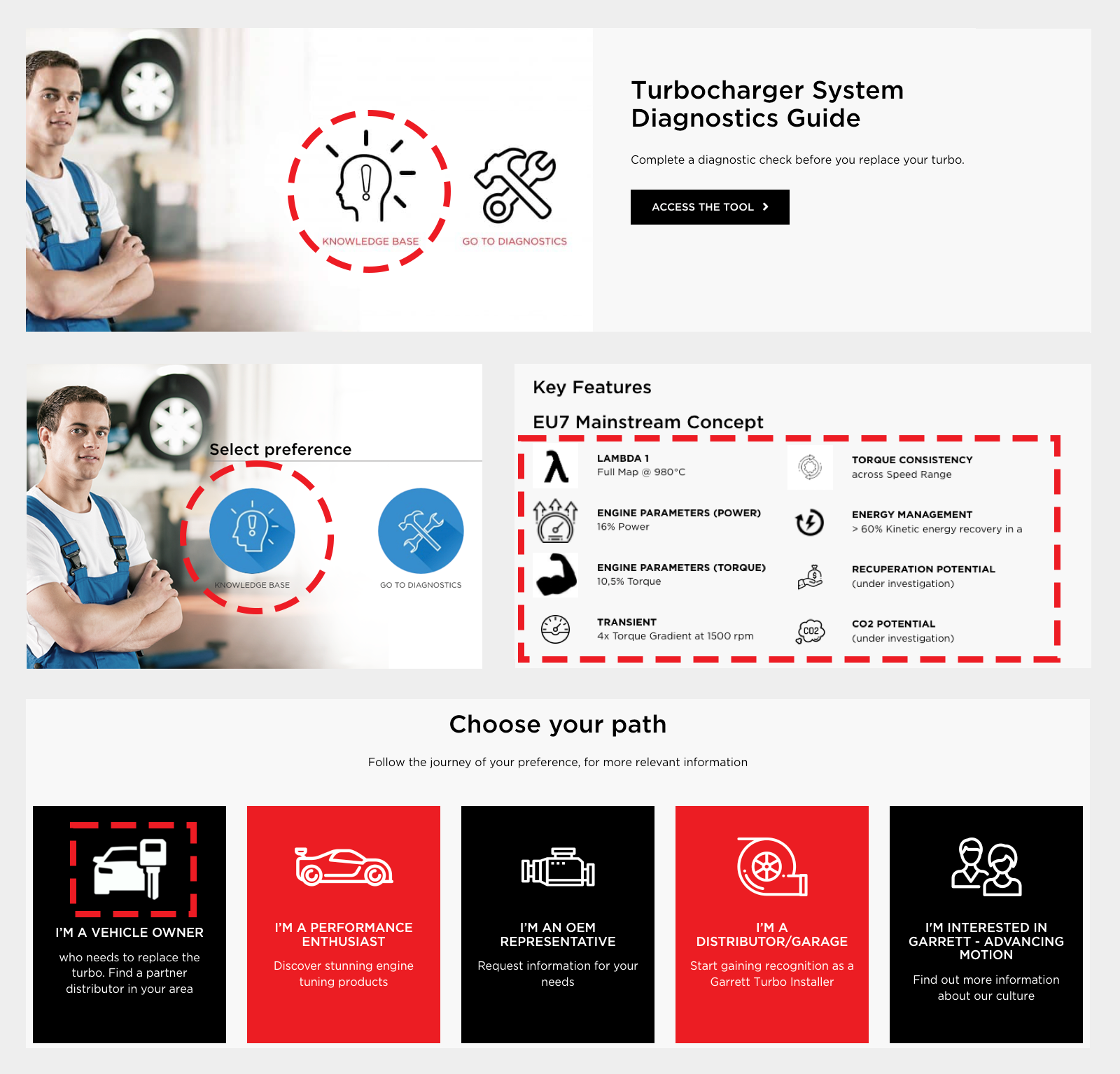
Turbocharger Diagnostics Guide, before. The old Garrett website, showing inconsistent icon motifs, outlines, and stroke widths across the hero banner, key features section, and navigation cards.
Illustration Category Icons

Illustration category icons. designed for Garrett Motion website, social media, video presentations (black and red stroke).
Application Category Icons

Application category icons, designed for desktop screens (black monochrome).
Functional Category Icons

Functional category icons, designed for navigation menus and mobile app UI at small sizes.
EU7 Key Features Icons - Before and After
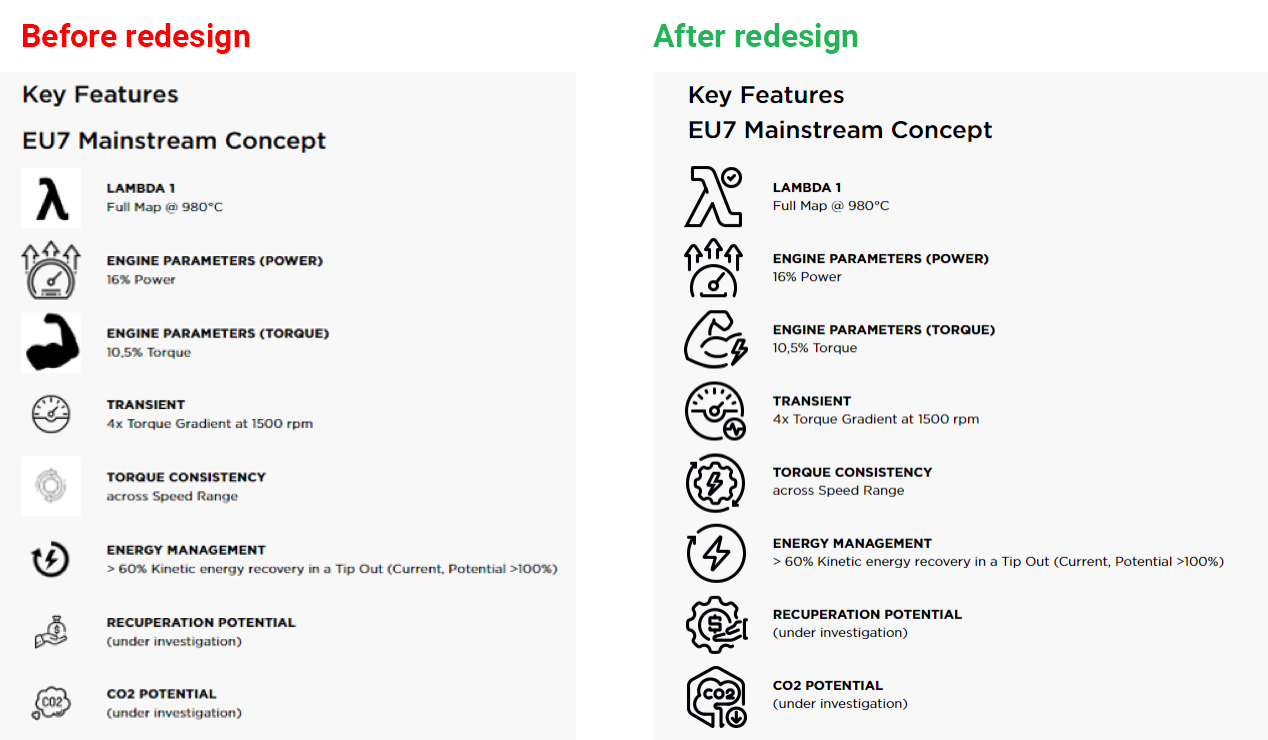
Before and after: the EU7 Key Features list, showing the icon set's new visual consistency.
Connected Vehicles icons, Light and Dark
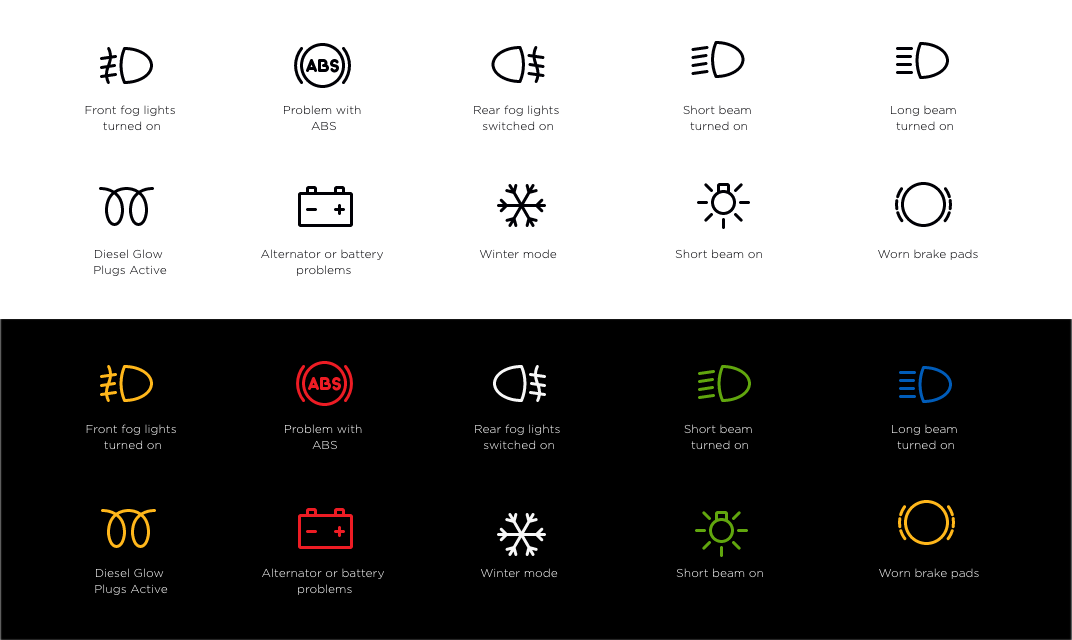
Connected vehicle icons adapted for both light and dark interfaces.