The Garrett Connect mobile app equips mechanics and performance enthusiasts with real-time diagnostic tools, a global turbo catalog, and technical training in a unified mobile experience.
PROJECT OVERVIEW
Design a mobile app for Garrett's IAM (Integrated Aftermarket) division, providing mechanics and automotive enthusiasts with the following features:
Design a mobile app for Garrett's IAM (Integrated Aftermarket) division, providing mechanics and automotive enthusiasts with the following features:
TimeLINE
6 months
ROLE
UX Researcher & UX Designer
• Contextual inquiry, heuristic evaluation, personas, journey mapping, usability testing
• Information architecture, wireframes, UI design, high-fidelity prototyping, iterative design
• Contextual inquiry, heuristic evaluation, personas, journey mapping, usability testing
• Information architecture, wireframes, UI design, high-fidelity prototyping, iterative design
TOOLS
Adobe XD, Photoshop, Illustrator, draw.io
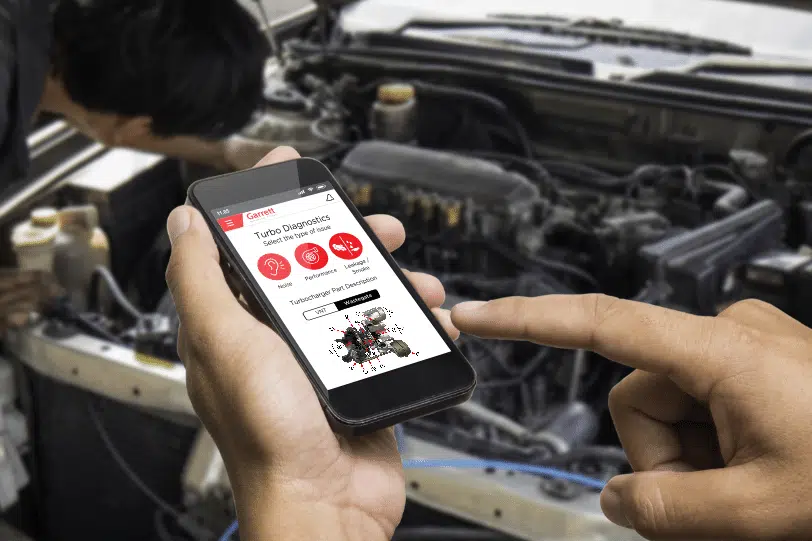
Turbo Diagnostics screen.
KEY RESULTS & IMPACT
Garrett Connect was launched May 2021 on Google Play, the App Store, and Huawei App Gallery. Since the launch of the app, Garrett Connect has experienced consistent year-on-year growth, attracting over 100,000 active users from 2021 to 2023.
DESIGN PROCESS & STRATEGY
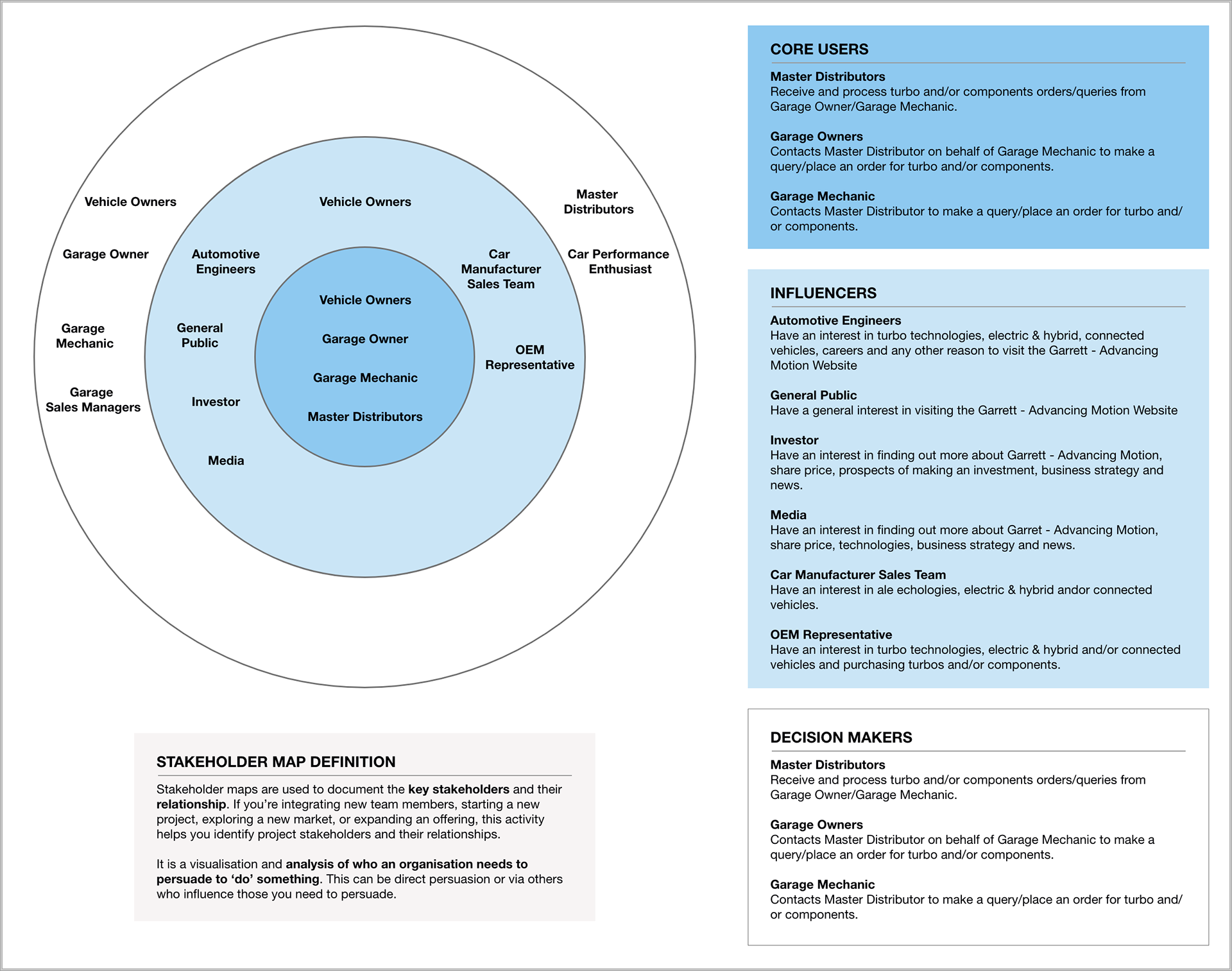
1. Stakeholder Mapping & Persona Creation: Identified key stakeholders and created user personas based on research insights to understand user needs and behaviors better.
2. Customer Journey Mapping: Mapped out the user's journey from initial interaction to completion of tasks, identifying pain points and opportunities for improvement throughout the process.
3. Design & Prototyping: Developed functional prototype using Adobe XD to simulate the app's navigation and user flow, and used Adobe Illustrator to create the icons.
4. Testing & Evaluation: Conducted usability testing with target users to identify usability issues and gather feedback on the app's design and functionality. Analysed user feedback and iterated on the designs to improve the user experience.
5. Development: Collaborated with developers to translate the design into code, ensuring that the final product aligned with the design specs and user experience goals.
6. User Acceptance Testing (UAT): Performed thorough testing to ensure that app aligns with the final design in terms of functionality, performance, and design specifics.
7. Iterative Design & Continuous Improvement: Monitored user feedback, app performance, and user behaviour analytics. Implemented new features to enhance the user experience further.
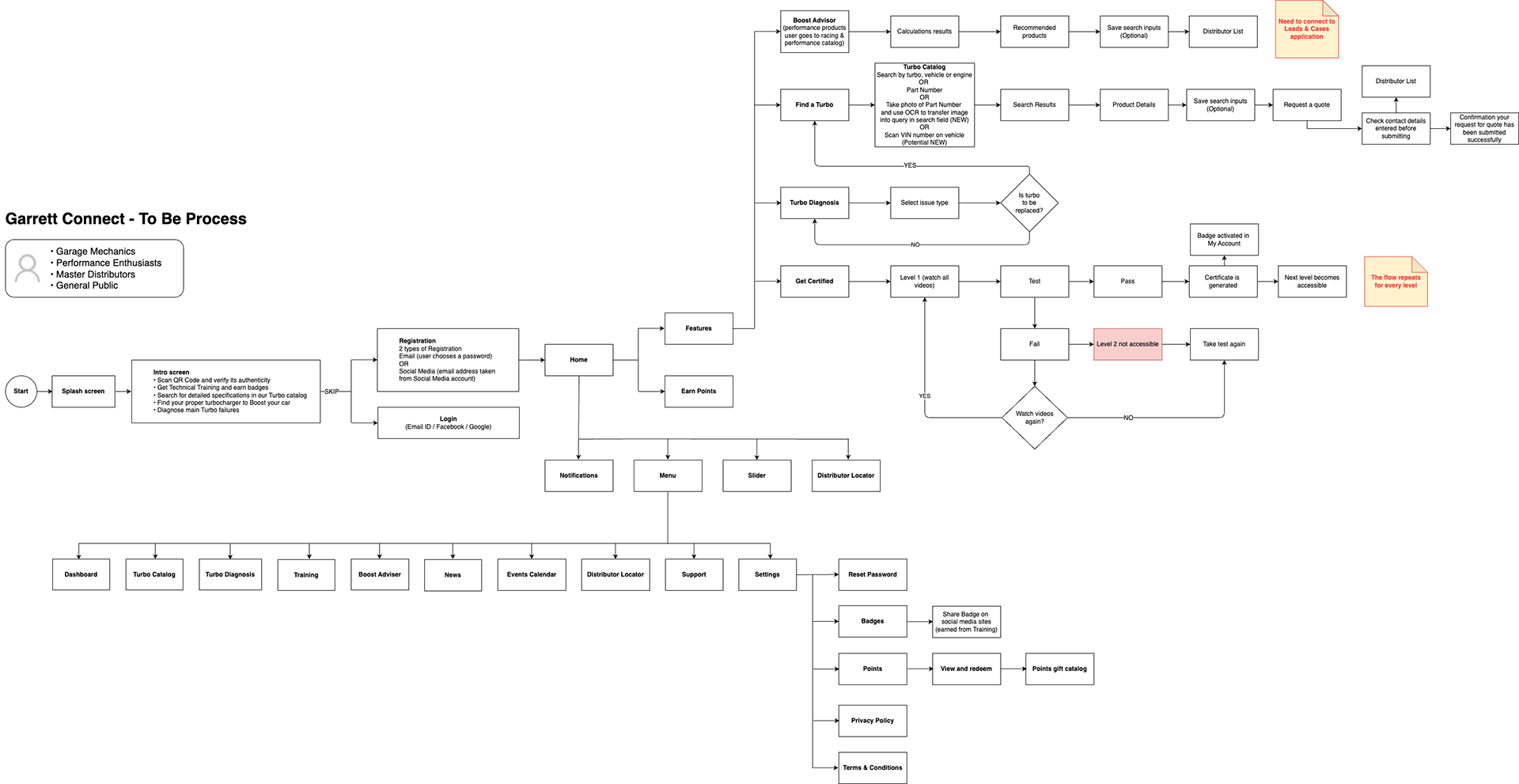
Below are the primary research artifacts and interaction flows developed during phases 1–3 of the design process
Stakeholder Map
Personas
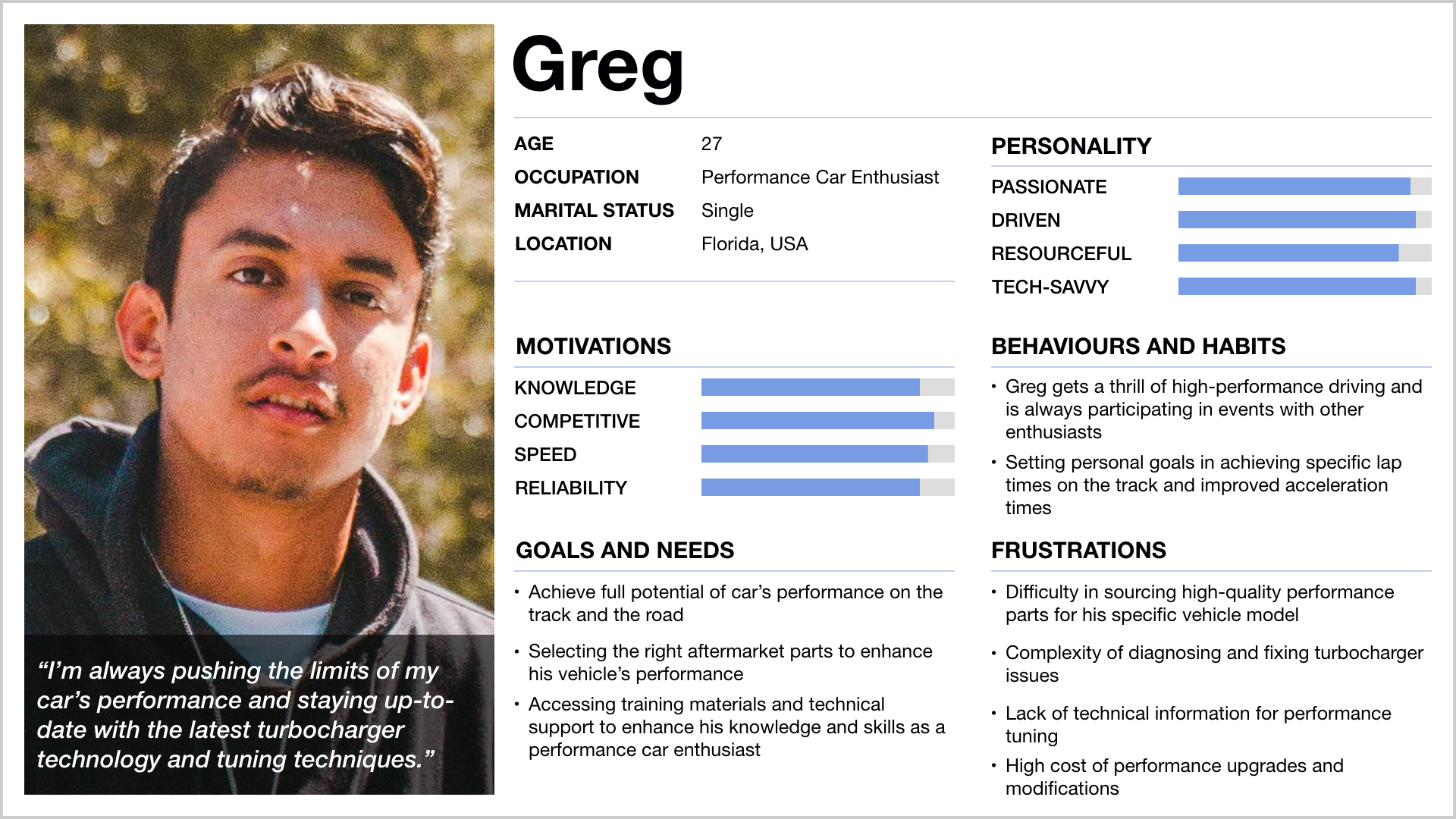
Greg – Performance Car Enthusiast
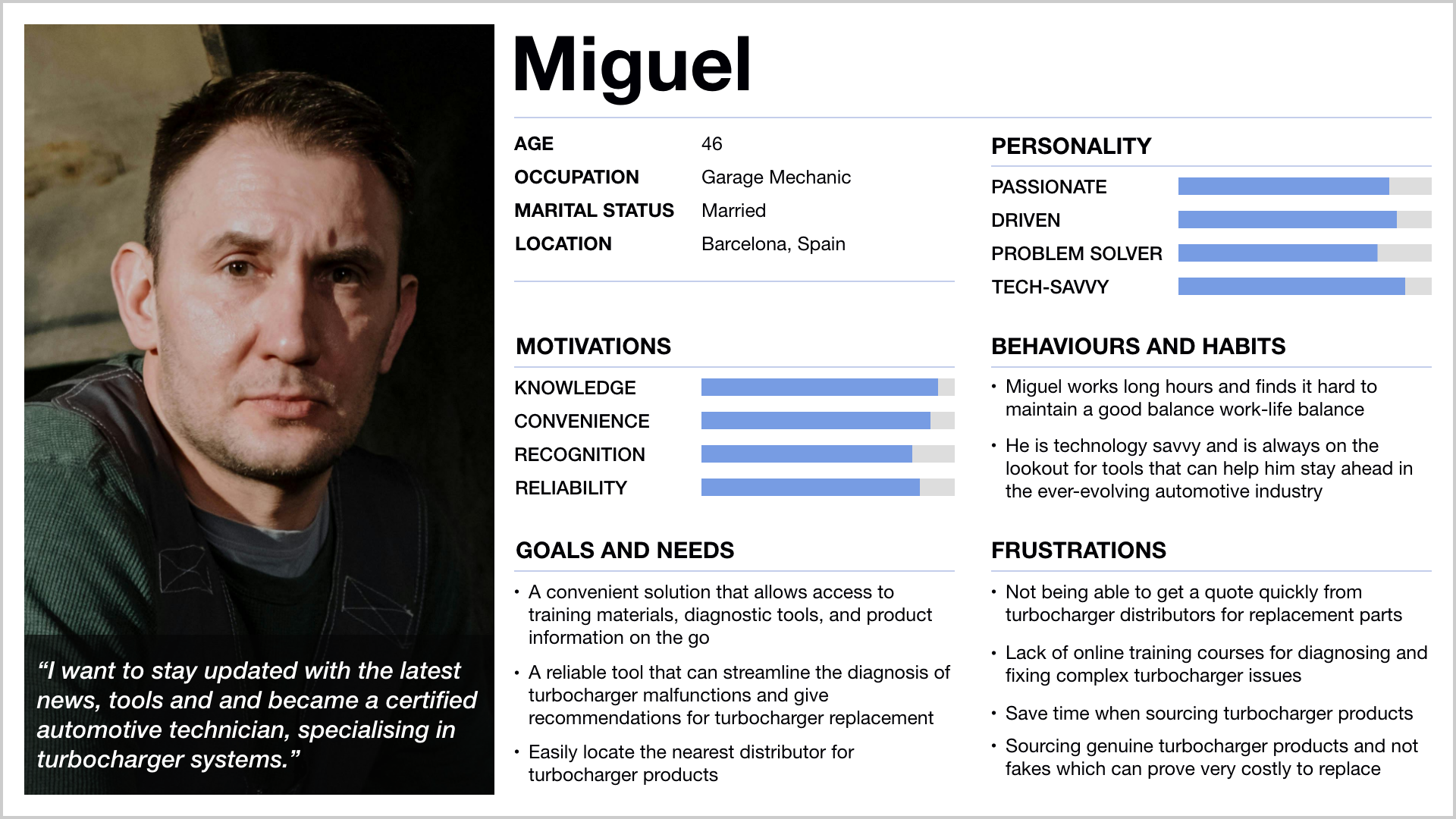
Miguel – Garage Mechanic
User Journey Map
Key Audience: Garage Mechanics, Performance Car Enthusiasts, Master Distributors, & General Public
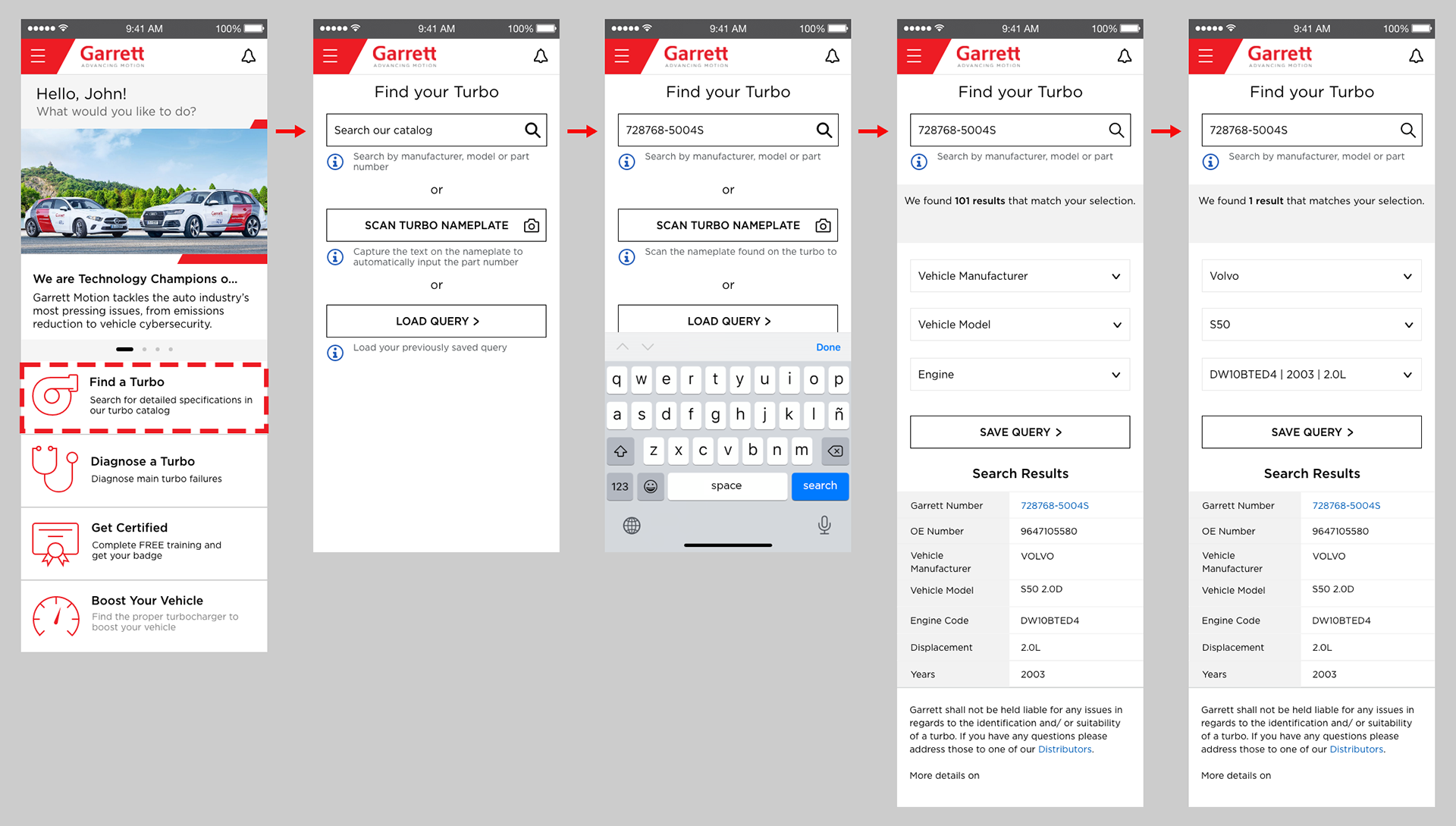
User Flow: Finding a Turbo from the Catalog
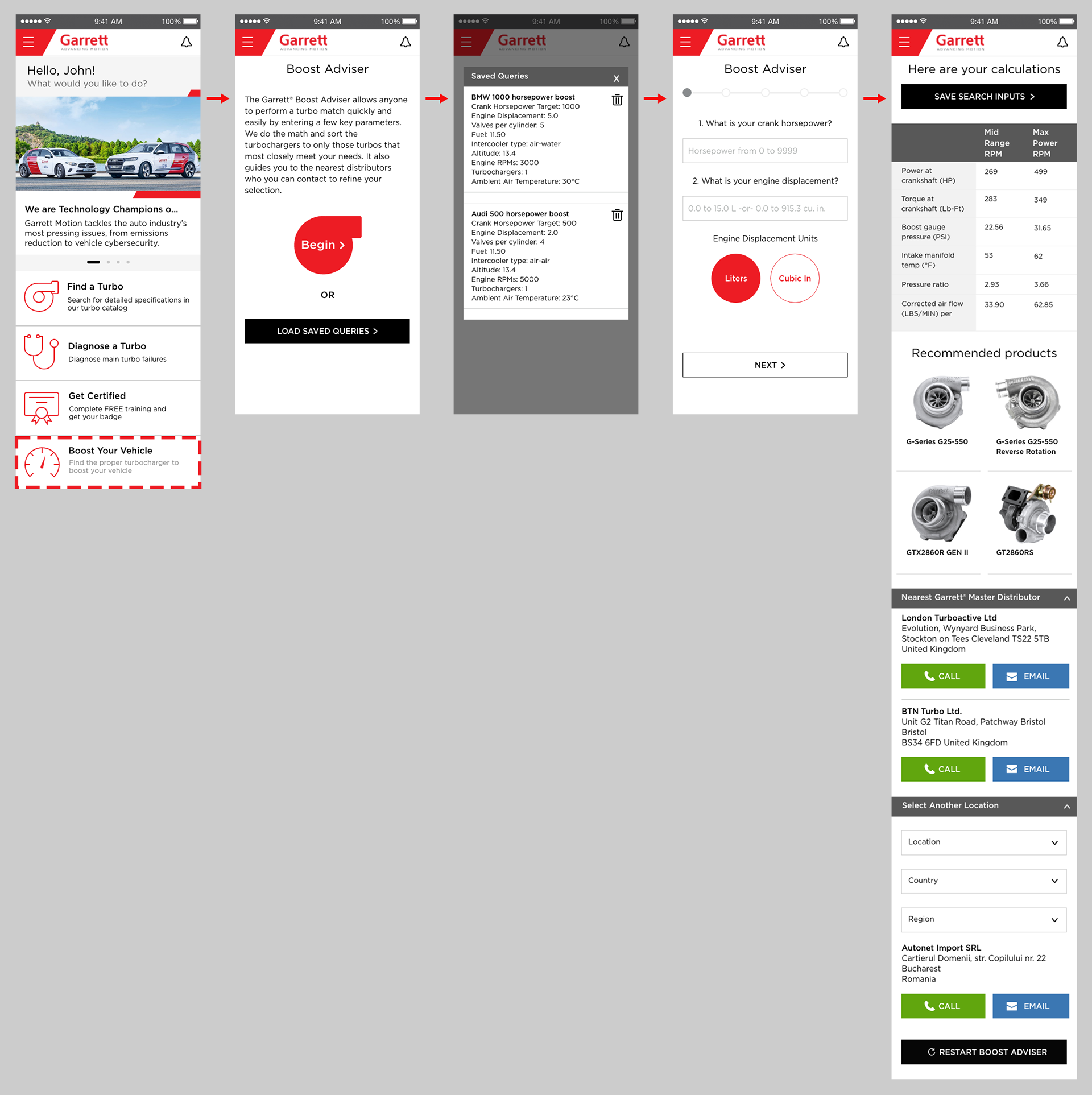
User Flow: Accessing the Boost Adviser Tool
Garrett Connect app UI – Tablet Screens
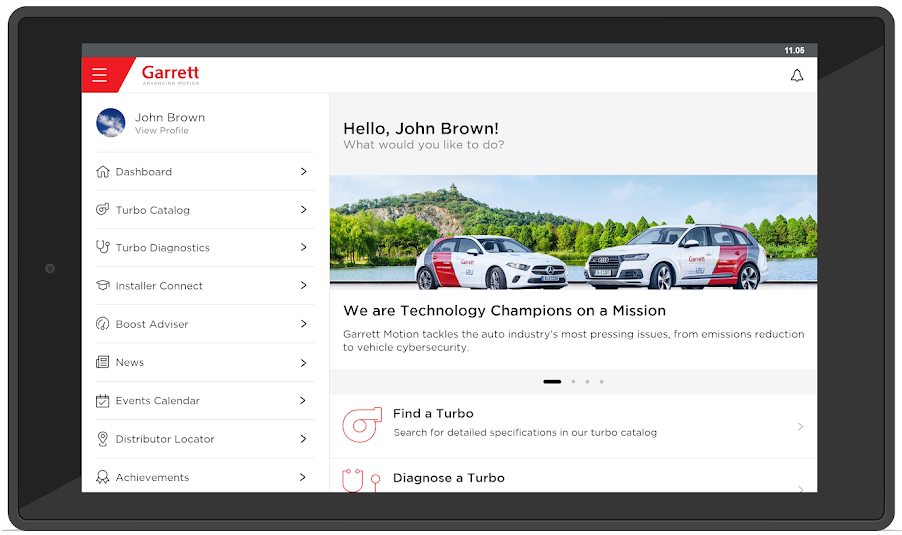
Garrett Connect app UI – Tablet Home Screen
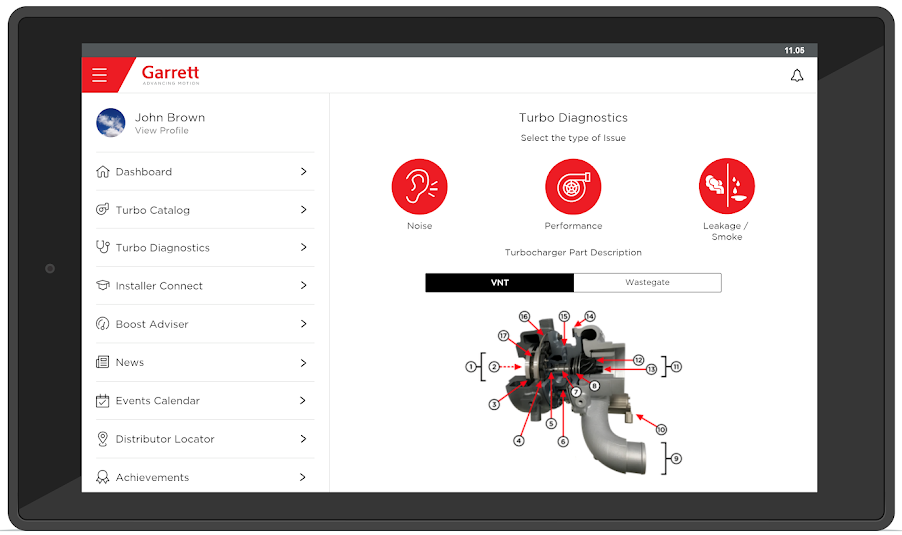
Garrett Connect app UI - Turbo Diagnostics screen for Tablet
Garrett Connect Mobile App Icon | Designed with Adobe Illustrator
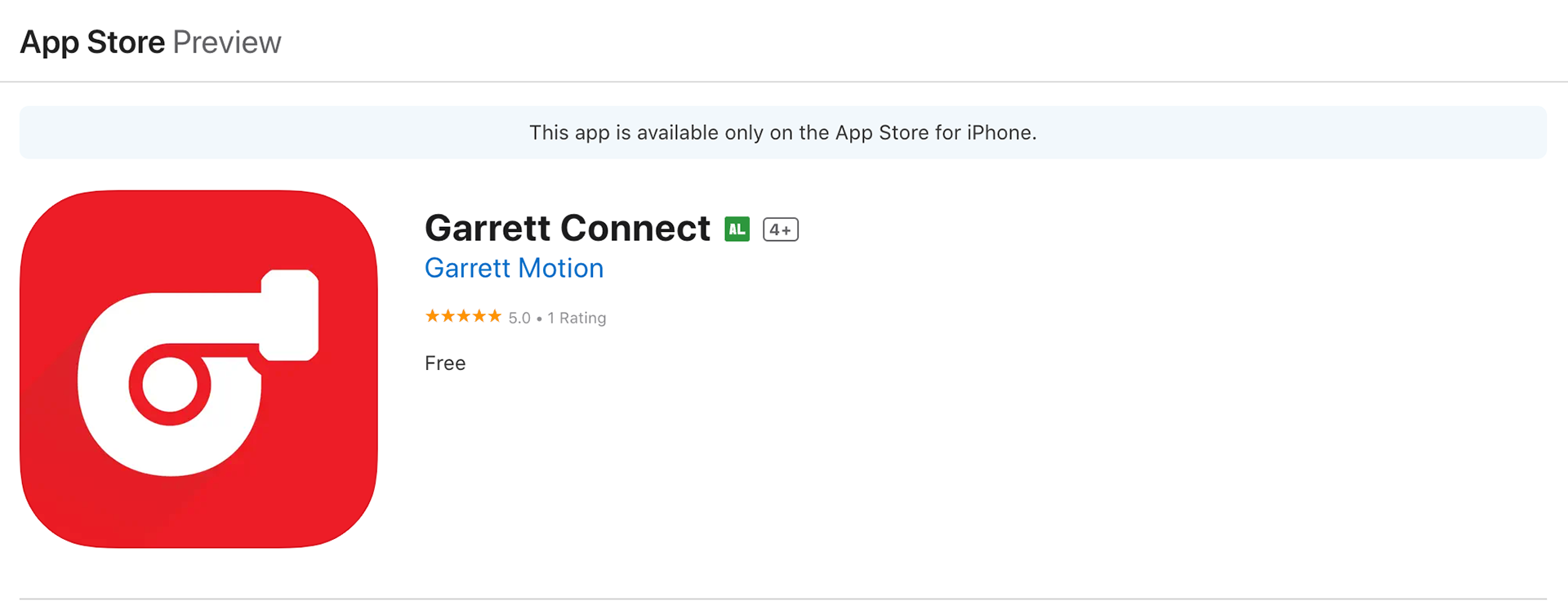
App Store listing for Garrett Connect, showing the app icon, a 5.0-star rating, and free download availability for iPhone.