Honeywell Garrett Installer Connect is an e-learning platform that connects directly with independent garages and installers, helping automotive technicians, mechanics, and enthusiasts become certified turbocharger experts. It offers a comprehensive catalog, basic to advanced courses, and access to videos and animations, along with the chance to gain recognition as a turbo installer after successfully completing online exams.
PROJECT OVERVIEW
The brief was to design content for the Installer portal on the Honeywell Garrett site including homepage, Find a Turbo catalog, search results and training pages.
TimeLINE 
3 months
ROLE
UX Researcher & UX Designer
• Contextual inquiry, heuristic evaluation, personas, journey mapping, usability testing
• Information architecture, wireframes, UI design, high-fidelity prototyping, iterative design
TOOLS
Axure RP Pro, Adobe Photoshop, Adobe Illustrator
Homepage
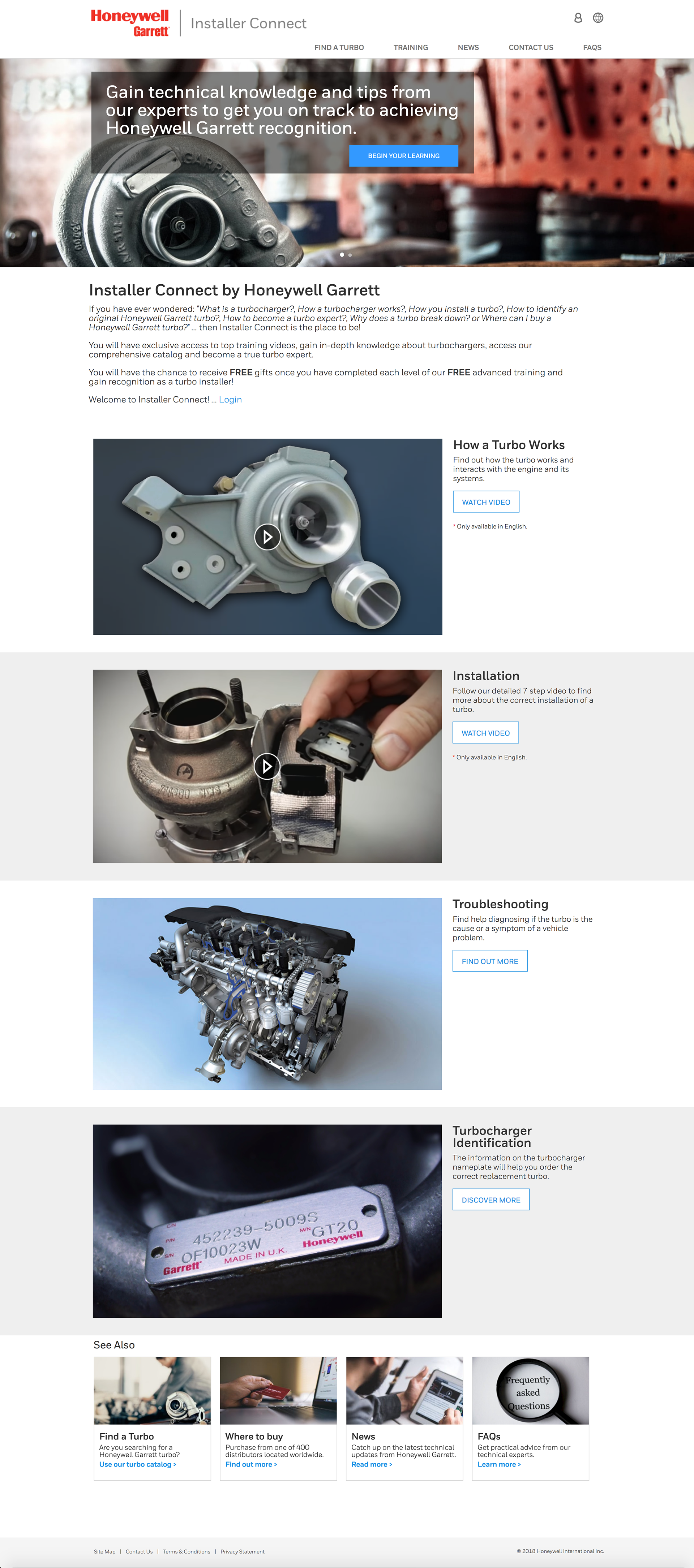
The homepage leads with a single clear action (Begin Your Learning) rather than splitting attention across the full catalog, since most first-time visitors arrive needing training, not a specific part. Secondary paths (Find a Turbo, Where to Buy, News, FAQs) are surfaced lower as a 'See Also' rail so returning installers can skip straight past the onboarding pitch.
Screenshot of the Honeywell Garrett Installer Connect homepage, showing a hero banner with a turbocharger photo and a 'Begin Your Learning' call-to-action button, followed by training video tiles for How a Turbo Works, Installation, and Troubleshooting

A single training call-to-action leads, with turbo search, purchasing, and support surfaced just below.
Find a Turbo Catalog
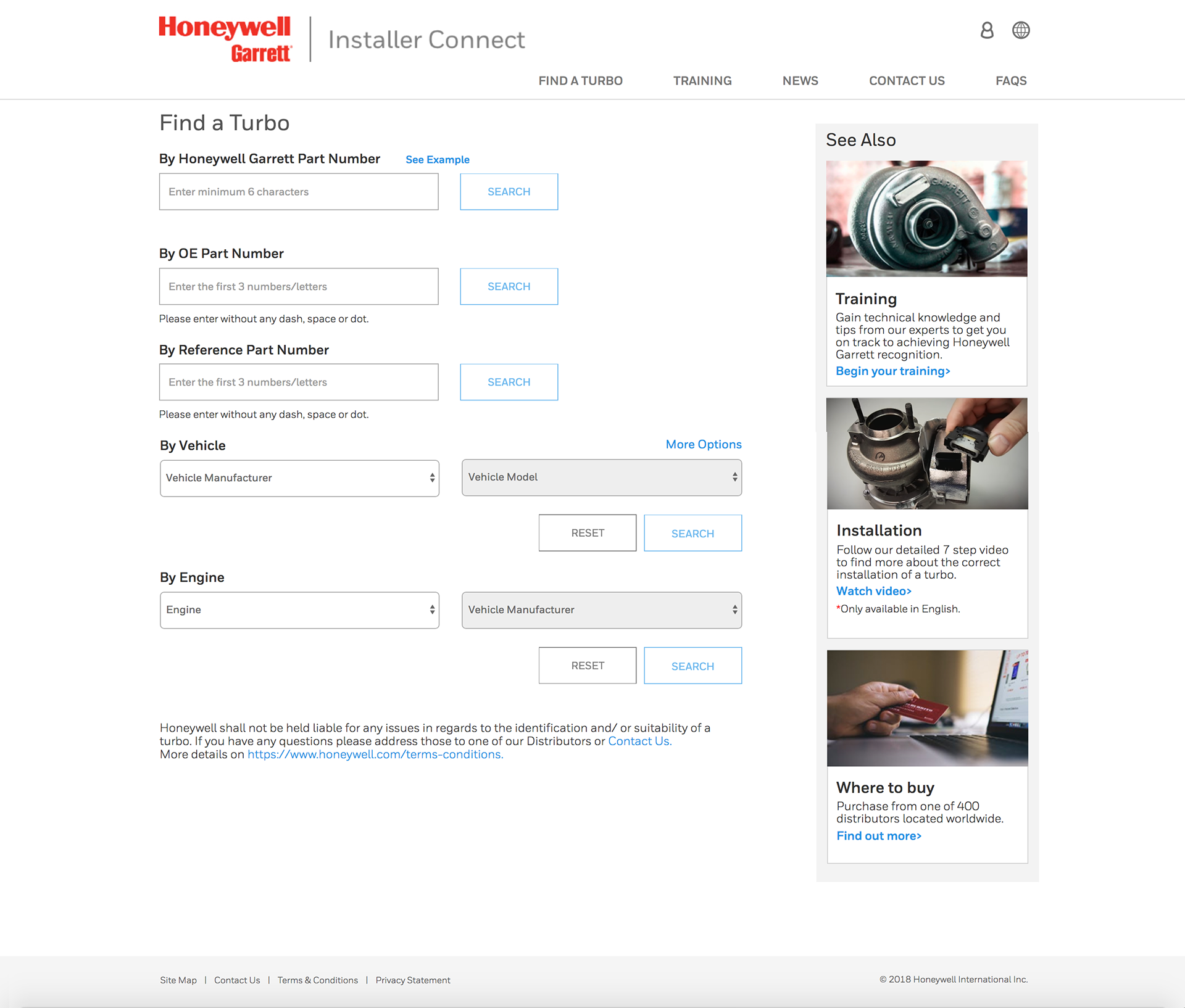
Installers rarely have the same reference on hand twice, so the search offers three lookup paths: Honeywell Garrett part number, OE part number, or reference number, instead of forcing one format. This reduced dead-end searches during testing with garages working from mixed paperwork and supplier labels.
Screenshot of the Honeywell Garrett Installer Connect Find a Turbo page, showing search fields for Honeywell Garrett part number, OE part number, and reference part number, plus dropdown lookups by vehicle and by engine

Installers can search by part number or vehicle details, so they can look up the right turbo however the information is available to them.
Find a Turbo Catalog > Search Results
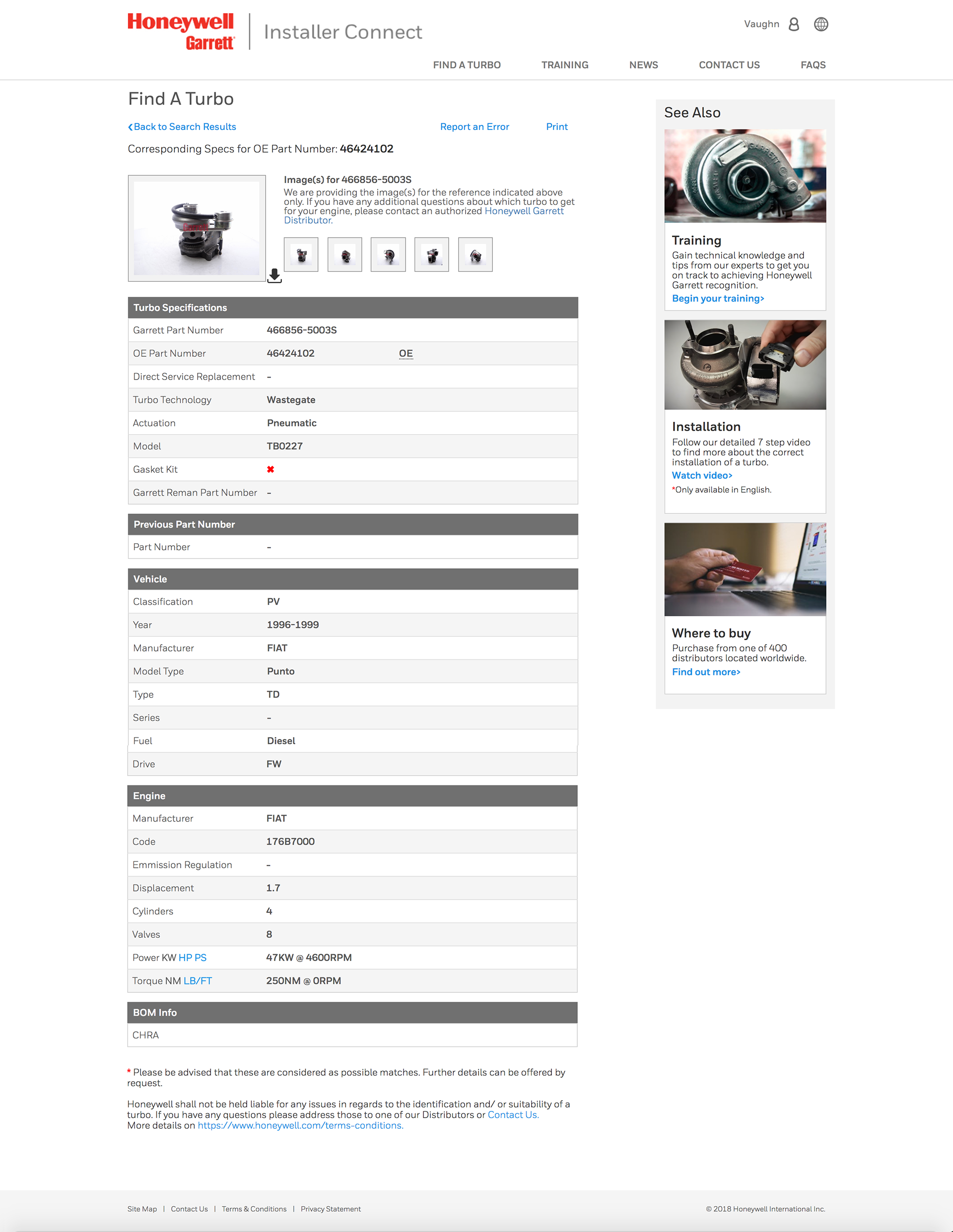
Turbo specs are dense by nature, so results are grouped into scannable blocks (identification, engine, BOM info) rather than one long table, with a Report an Error link kept visible since installers are often the first to catch a mismatched part.
Screenshot of the Honeywell Garrett Installer Connect Find a Turbo search results page for OE part number 46424102, showing the corresponding turbo image, a Turbo Specifications table with Garrett part number 466856-5003S, and vehicle fitment details

Each search result groups the turbo's identification, engine specs, and BOM info into clear sections, with a Report an Error link for installers who spot a mismatch.
Where to Buy
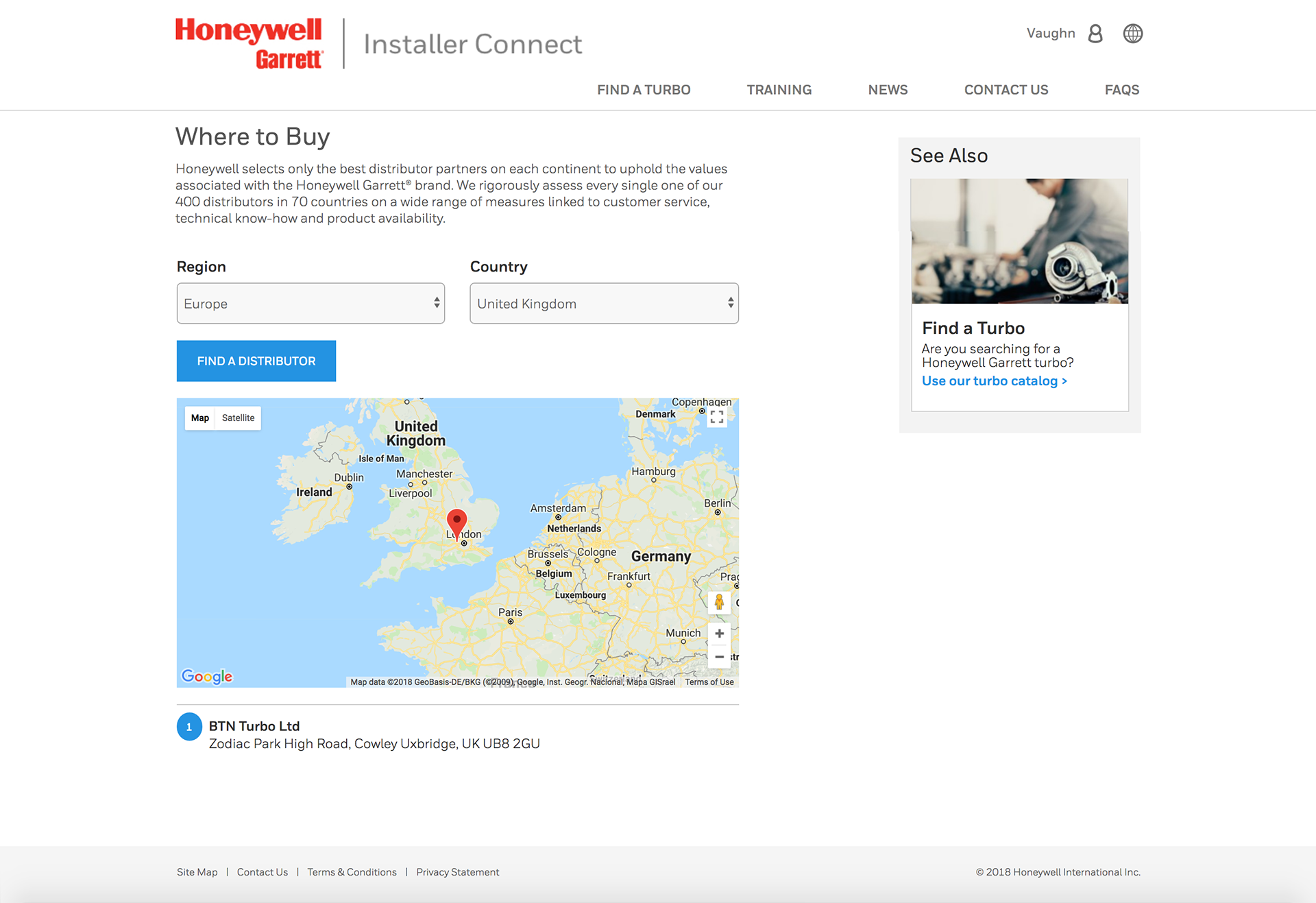
Distributor listings are filtered by region and country up front rather than shown as one long directory, since installers are usually sourcing a part for a specific job and need the nearest authorized partner, not a full list to scan. Narrowing by location first keeps the results short enough to compare at a glance.
Screenshot of the Honeywell Garrett Installer Connect Where to Buy page, with region and country selectors set to Europe and United Kingdom, and a map showing a single distributor location near London

Installers can filter distributors by region and country to quickly find their nearest authorized Honeywell Garrett partner.
Training > Turbocharger Identification
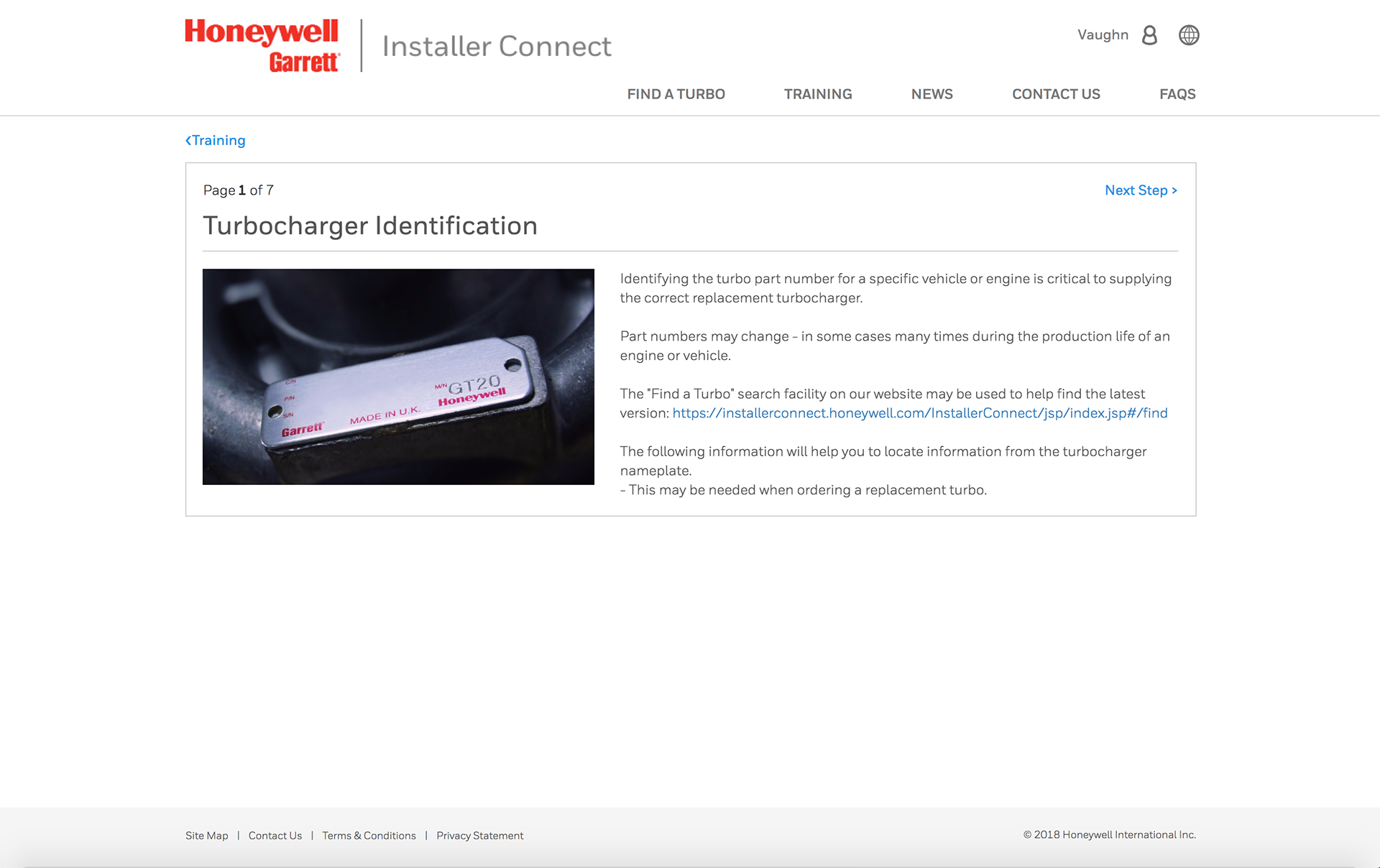
Identification guidance is broken into a numbered 7-step sequence with persistent Next Step navigation, mirroring how installers already work through a physical job (one step at a time, hands often occupied) rather than a single long article they'd have to scroll one-handed.

Step 1 of 7 shows installers exactly where to find the part number on the nameplate, since that number can change even for the same vehicle model.
Training > Installation
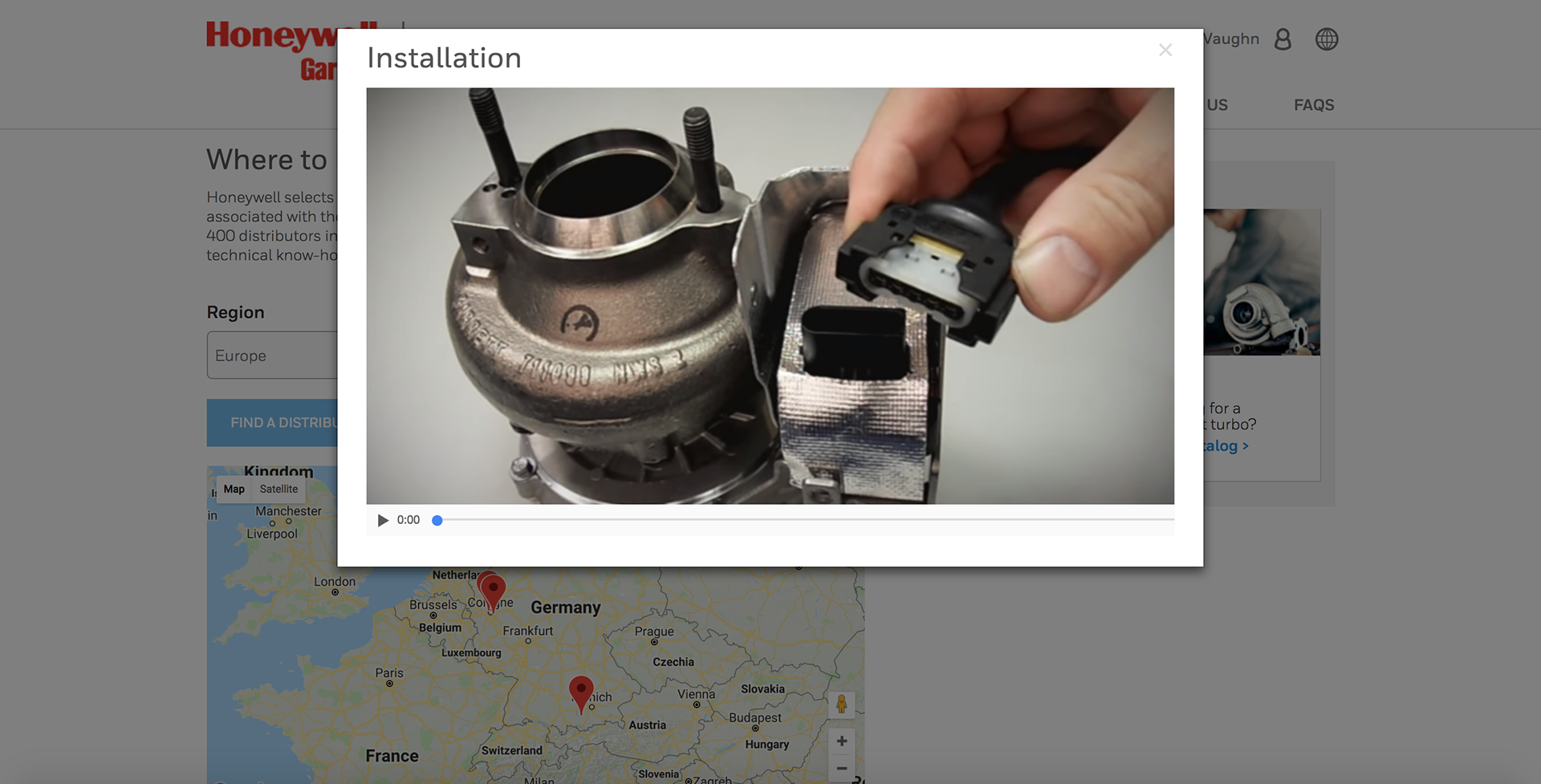
Installation is paired with a short video rather than relying on the written steps alone, since some parts of the actuator connection are easier to confirm visually than to describe in text. Keeping the video short and focused on the connection step matches how installers actually use reference material mid-job: a quick check, not a full tutorial.
Video preview titled Installation, showing a hand connecting an actuator sensor to a turbocharger as part of Honeywell Garrett's step-by-step turbo installation walkthrough

A short video walks through connecting the actuator, giving installers a visual reference for the physical steps alongside the written 7-step guide.
News
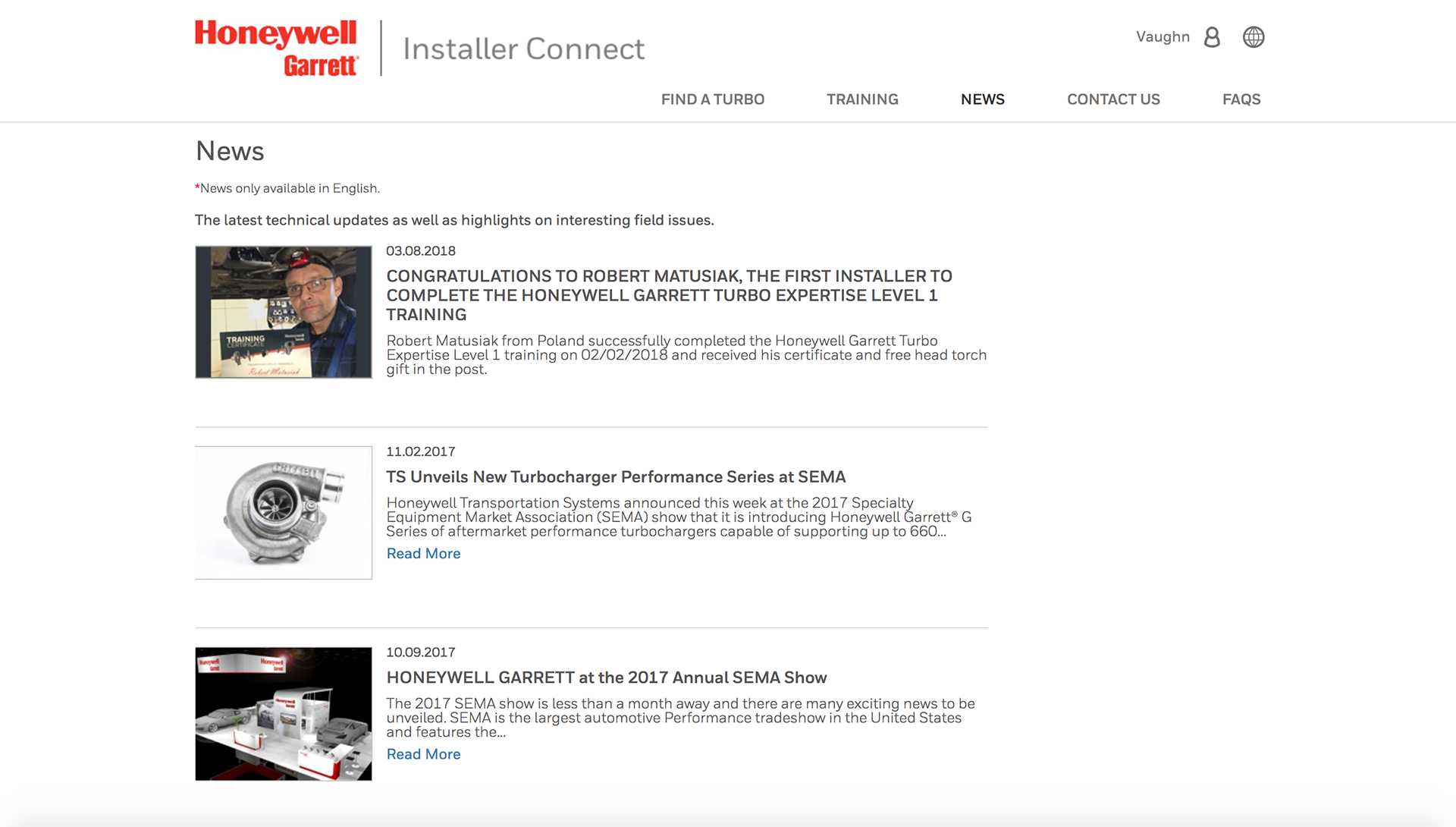
News is presented as a single reverse-chronological feed rather than split by category, since updates here are infrequent enough that installers are more likely to skim the whole list than filter it. A simple feed also makes it obvious at a glance whether anything new has been posted since their last visit.
Screenshot of the Honeywell Garrett Installer Connect News page, listing three articles: an installer certification announcement, a new turbocharger performance series at SEMA, and Honeywell Garrett's presence at the 2017 SEMA show

Technical updates and field highlights are kept in one running feed, so installers can catch a new training milestone or product launch without hunting through separate pages.
Contact Us
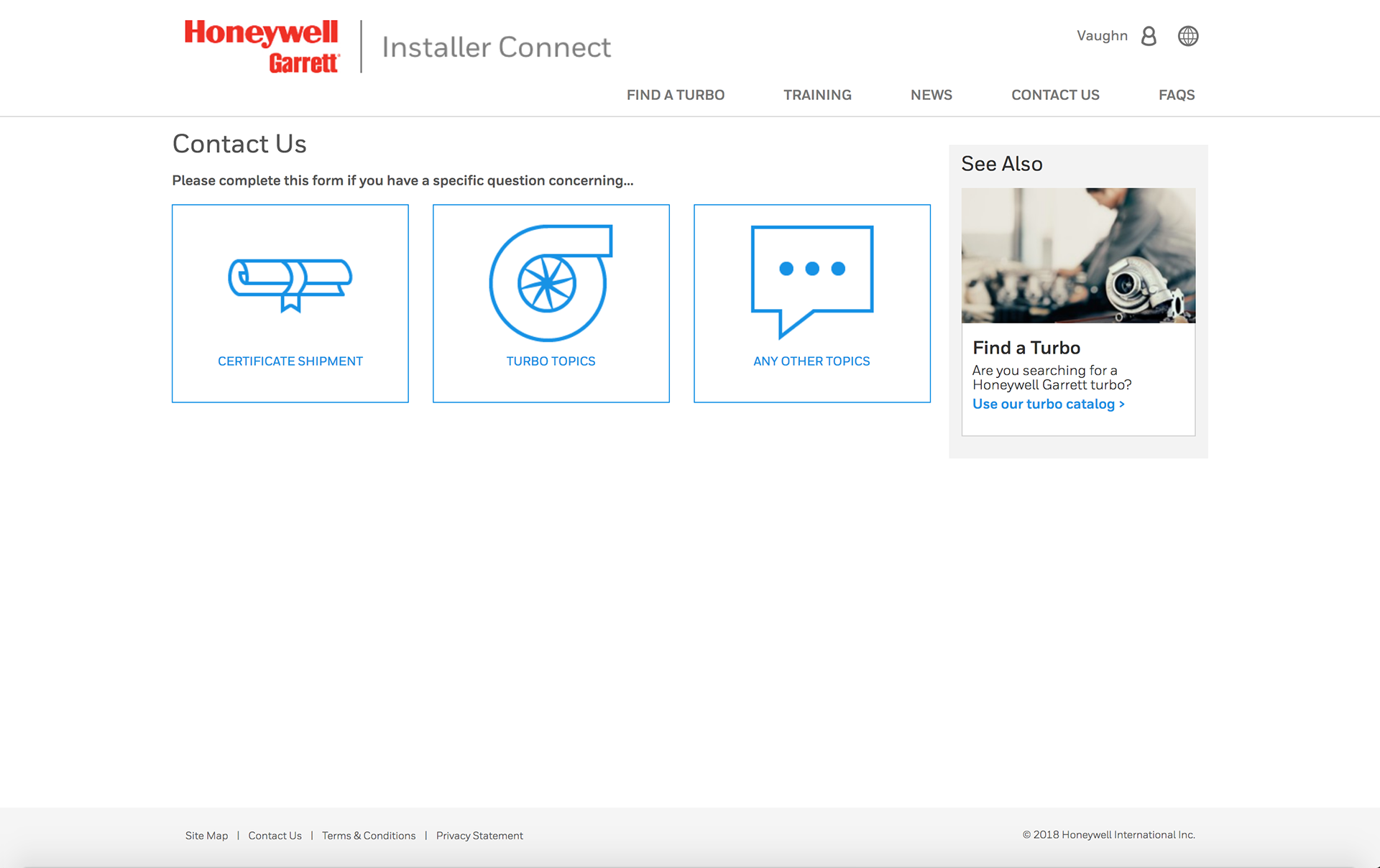
Contact requests are split into three topic cards up front instead of one general-purpose form, since each topic needs different information (a shipment reference number versus a turbo part number, for example). Asking visitors to pick a topic first keeps each form short and avoids collecting fields that don't apply to their actual question.
Screenshot of the Honeywell Garrett Installer Connect Contact Us page, showing three topic options to choose from: Certificate Shipment, Turbo Topics, and Any Other Topics

Three clearly labeled topic cards (Certificate Shipment, Turbo Topics, Any Other Topics) route visitors to the right form before they start typing.
Contact Us > Certificate Shipment
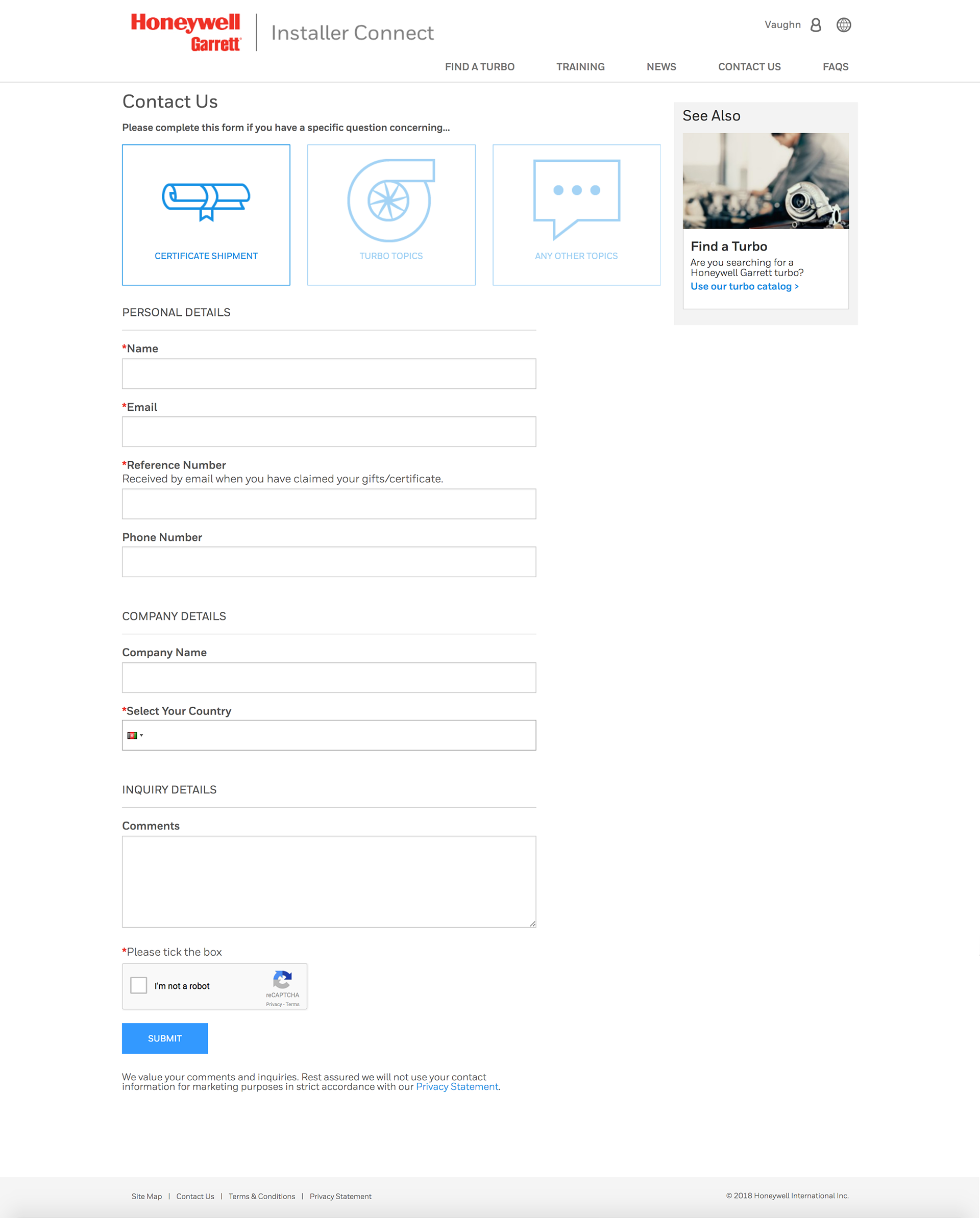
The Certificate Shipment form asks for a reference number up front because shipment queries are typically follow-ups to an existing order, so support can locate the record immediately rather than asking the installer to explain the full history over email. Keeping this form separate from general inquiries also means the fields on screen are always relevant to the question being asked.
Screenshot of the Honeywell Garrett Installer Connect Contact Us page, with Certificate Shipment selected as the inquiry topic and a form for personal details, company details, and comments below

Selecting Certificate Shipment surfaces a dedicated form for reference number, personal and company details, and comments, keeping shipment queries separate from general inquiries.
FAQs
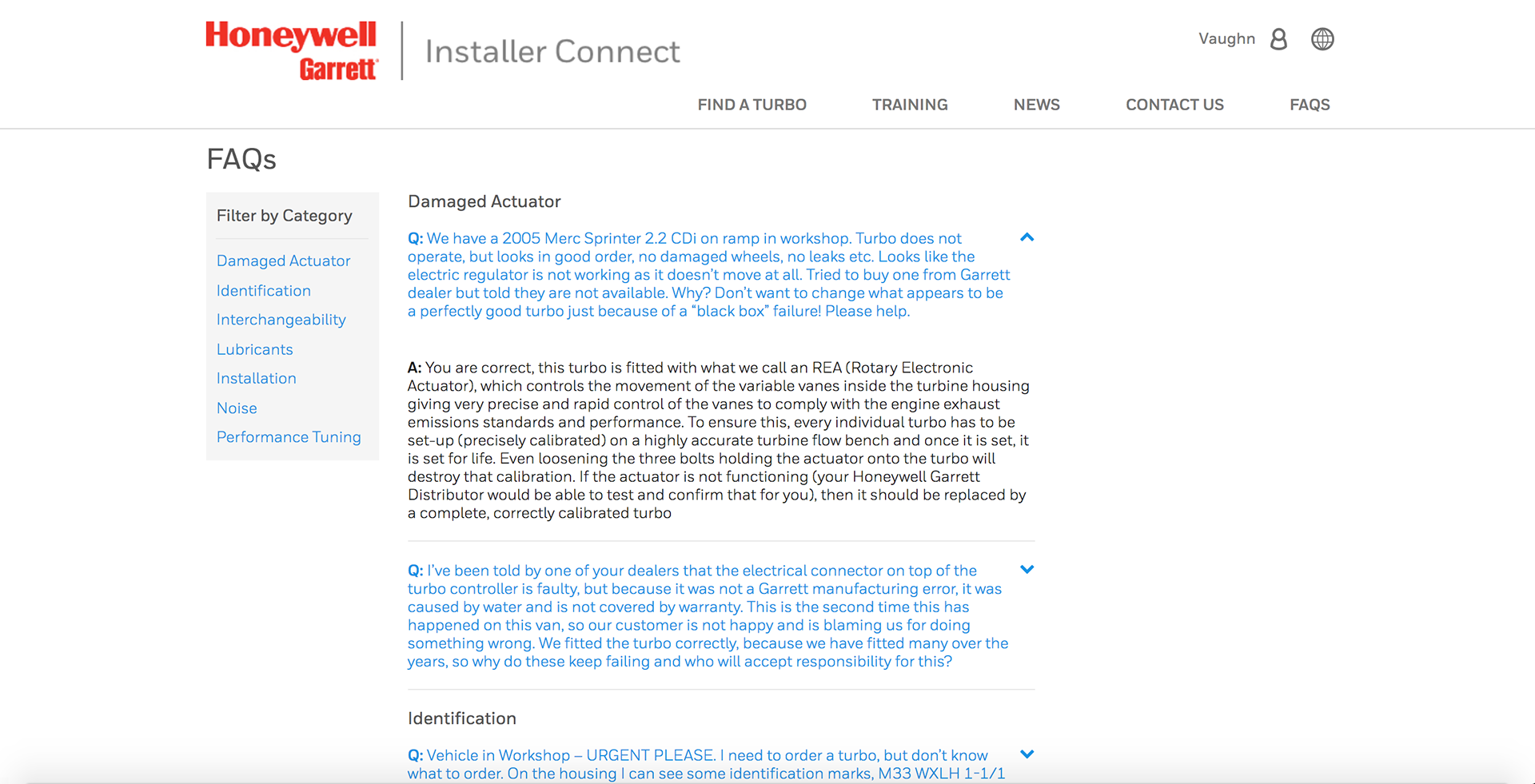
Questions are filterable by category (Damaged Actuator, Identification, Noise, etc.) because installers arrive already knowing their symptom, not browsing generally. Category filtering gets them to the right answer faster than a flat searchable list.
Screenshot of the Honeywell Garrett Installer Connect FAQs page, filtered by category with Damaged Actuator selected, showing a list of installer questions and answers about turbo actuator faults

Installers filter questions by category to jump straight to the fix for their specific symptom instead of scanning a long list.

Outcome
This case study covers the core of the Installer Connect experience end to end: finding the right part, learning to install it, and getting help when something goes wrong. Rather than functioning as generic content, each screen was built around a specific point in that journey, aimed at getting installers to an answer with as few detours as possible.
Back to Top