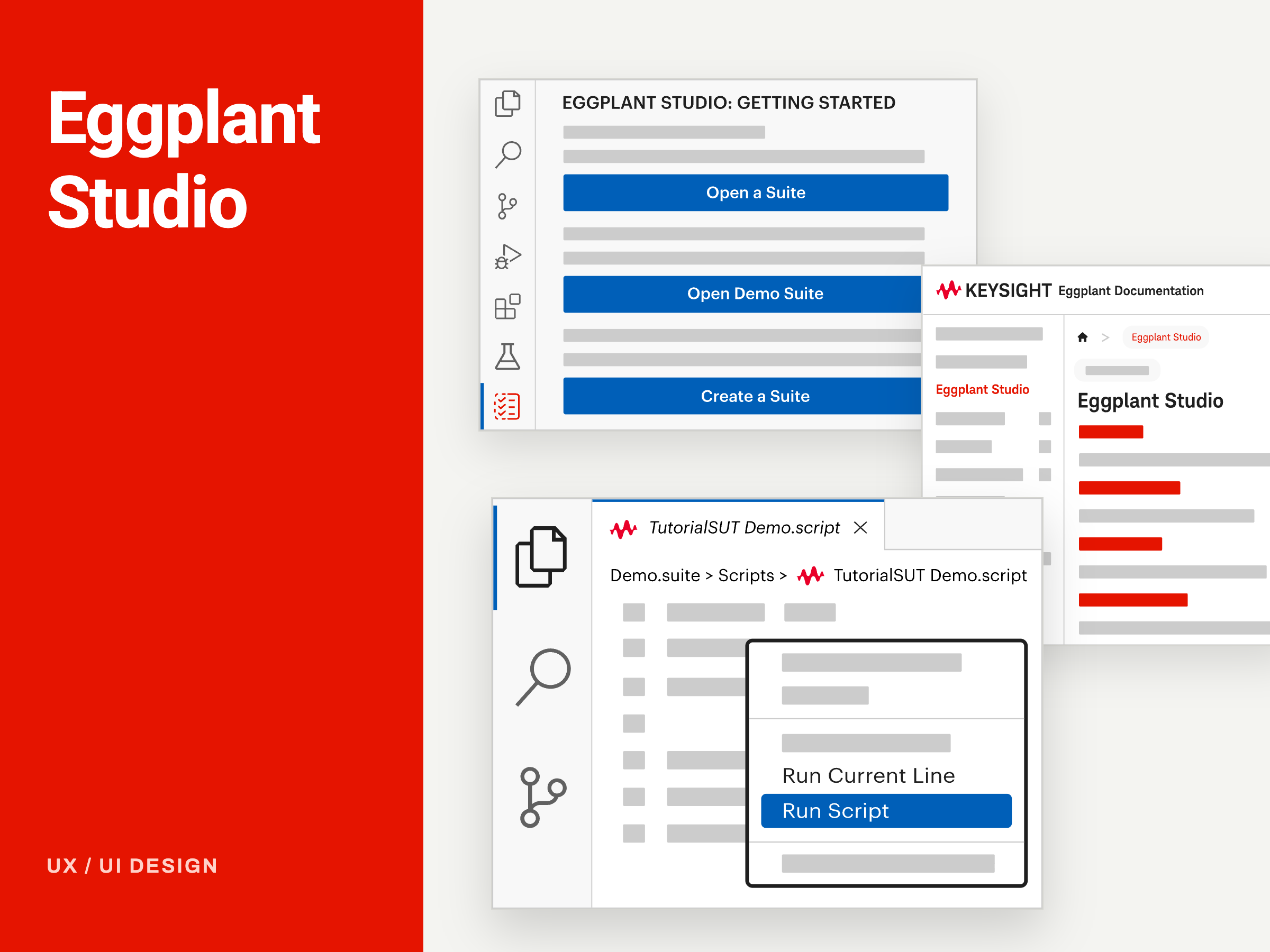
A working React and Vite prototype of test case creation with models in Eggplant Studio. I built it with Claude Code from my initial Figma design so that product, engineering and customer-facing teams could click through the real interaction before a line of production code was written.
Project Overview
Eggplant Studio is Keysight's redesign of Eggplant Functional (EPF), moving a standalone desktop test tool into a Visual Studio Code extension. The aim of the wider programme was to lower the barrier for engineers new to test automation while keeping the SenseTalk scripting and image-based testing that experienced users rely on.
Eggplant Studio is Keysight's redesign of Eggplant Functional (EPF), moving a standalone desktop test tool into a Visual Studio Code extension. The aim of the wider programme was to lower the barrier for engineers new to test automation while keeping the SenseTalk scripting and image-based testing that experienced users rely on.
Model-based testing is one of the ways Eggplant users describe the application they are testing: its states, and the actions that move between them. A test case is a path through that model. The new feature needed to let people build that path by selecting steps directly in the model, and to show clearly how far along the test case they were.
A static Figma mockup could show the screens but not the behaviour that mattered most: which steps are available next, what happens when you change your mind, and how progress updates as the test case grows. I built a functional prototype so those behaviours could be seen, discussed and tested.
Reviewers had to imagine the step-by-step interaction from still frames, which slowed decisions and hid edge cases.
The Goal
A clickable, realistic flow that product, developers and Technical Consultants could use and critique early.
TIMELINE
2 weeks
ROLE
• As the UX Designer on Eggplant Studio, I led research and design for onboarding, and the feature panels, working closely with the Product Owner and developers. On this feature I owned the work from first design to working prototype.
• Designed the test case creation flow in Figma, in keeping with VS Code's visual language so it feels native to the editor.
• Wrote the skills file that gave Claude Code clear requirements, behaviours and constraints to build against.
• Built and iterated the React and Vite prototype with Claude Code in VS Code.
• Used the prototype in reviews with the Product Owner, developers and Technical Consultants, then fed findings back into the design.
• As the UX Designer on Eggplant Studio, I led research and design for onboarding, and the feature panels, working closely with the Product Owner and developers. On this feature I owned the work from first design to working prototype.
• Designed the test case creation flow in Figma, in keeping with VS Code's visual language so it feels native to the editor.
• Wrote the skills file that gave Claude Code clear requirements, behaviours and constraints to build against.
• Built and iterated the React and Vite prototype with Claude Code in VS Code.
• Used the prototype in reviews with the Product Owner, developers and Technical Consultants, then fed findings back into the design.
TOOLS
Figma, Visual Studio Code, Claude Code, React + Vite
Figma, Visual Studio Code, Claude Code, React + Vite
DESIGN PROCESS & STRATEGY
The strategy was to move from static design to working software as early as possible, so the team could judge the interaction by using it rather than by reading annotations.
1. Start from the people using it: Studio's three personas shaped the requirements. Each arrives at model-based test creation with different experience, so the flow had to guide newcomers without slowing down experts.
2. Design the flow in Figma: I designed the model view, step selection states and the progress panel to sit within VS Code's panel layout and themes, so the feature reads as part of the editor rather than a separate tool.
3. Write a skills file for Claude Code: Before building, I wrote down the requirements in a skills file: what each state looks like, which steps can follow which, how progress is counted and how the UI should respond to each action. Clear requirements kept the generated code aligned with the design intent.
4. Build the working prototype: Working with Claude Code in VS Code, I turned the Figma design into a functional React and Vite prototype. Selecting steps in the model builds the test case, and a progress panel tracks each step. This allowed richer interactions than a static mockup could show.
5. Review, test and iterate: The prototype went into review with the Product Owner, developers and Technical Consultants, who act as proxies for customers whose sensitive content rules out direct access. Because reviewers were clicking through working software rather than static frames, their feedback was based on real behaviour. Changes from each round could be made and shown again quickly.
The strategy was to move from static design to working software as early as possible, so the team could judge the interaction by using it rather than by reading annotations.
1. Start from the people using it: Studio's three personas shaped the requirements. Each arrives at model-based test creation with different experience, so the flow had to guide newcomers without slowing down experts.
2. Design the flow in Figma: I designed the model view, step selection states and the progress panel to sit within VS Code's panel layout and themes, so the feature reads as part of the editor rather than a separate tool.
3. Write a skills file for Claude Code: Before building, I wrote down the requirements in a skills file: what each state looks like, which steps can follow which, how progress is counted and how the UI should respond to each action. Clear requirements kept the generated code aligned with the design intent.
4. Build the working prototype: Working with Claude Code in VS Code, I turned the Figma design into a functional React and Vite prototype. Selecting steps in the model builds the test case, and a progress panel tracks each step. This allowed richer interactions than a static mockup could show.
5. Review, test and iterate: The prototype went into review with the Product Owner, developers and Technical Consultants, who act as proxies for customers whose sensitive content rules out direct access. Because reviewers were clicking through working software rather than static frames, their feedback was based on real behaviour. Changes from each round could be made and shown again quickly.
OUTCOME
• Faster prototyping: Building prototypes with Claude Code cut the time from design to testable prototype, which left room to explore more options within the two-week timeline.
• Richer interactions, earlier: Step availability, selection and progress were testable as real behaviour, well before production development.
• Clearer conversations: Product, engineering and Technical Consultants reacted to the same working flow, which made feedback more specific and decisions easier.
• Faster prototyping: Building prototypes with Claude Code cut the time from design to testable prototype, which left room to explore more options within the two-week timeline.
• Richer interactions, earlier: Step availability, selection and progress were testable as real behaviour, well before production development.
• Clearer conversations: Product, engineering and Technical Consultants reacted to the same working flow, which made feedback more specific and decisions easier.
WHAT I LEARNED
• Structure in, quality out: A well-organised component library and a clear skills file produced far better code than loose mockups would have. The preparation was what made the speed possible.
• AI speeds up making, not judging: I still owned every design decision. Accessibility in particular needed checking against WCAG rather than trusting the generated code.
• Working software shortens feedback: Developers and stakeholders responded to a working prototype much more quickly than to static screens, so each review round moved faster.
• Structure in, quality out: A well-organised component library and a clear skills file produced far better code than loose mockups would have. The preparation was what made the speed possible.
• AI speeds up making, not judging: I still owned every design decision. Accessibility in particular needed checking against WCAG rather than trusting the generated code.
• Working software shortens feedback: Developers and stakeholders responded to a working prototype much more quickly than to static screens, so each review round moved faster.
Test Cases Interactive Prototype